

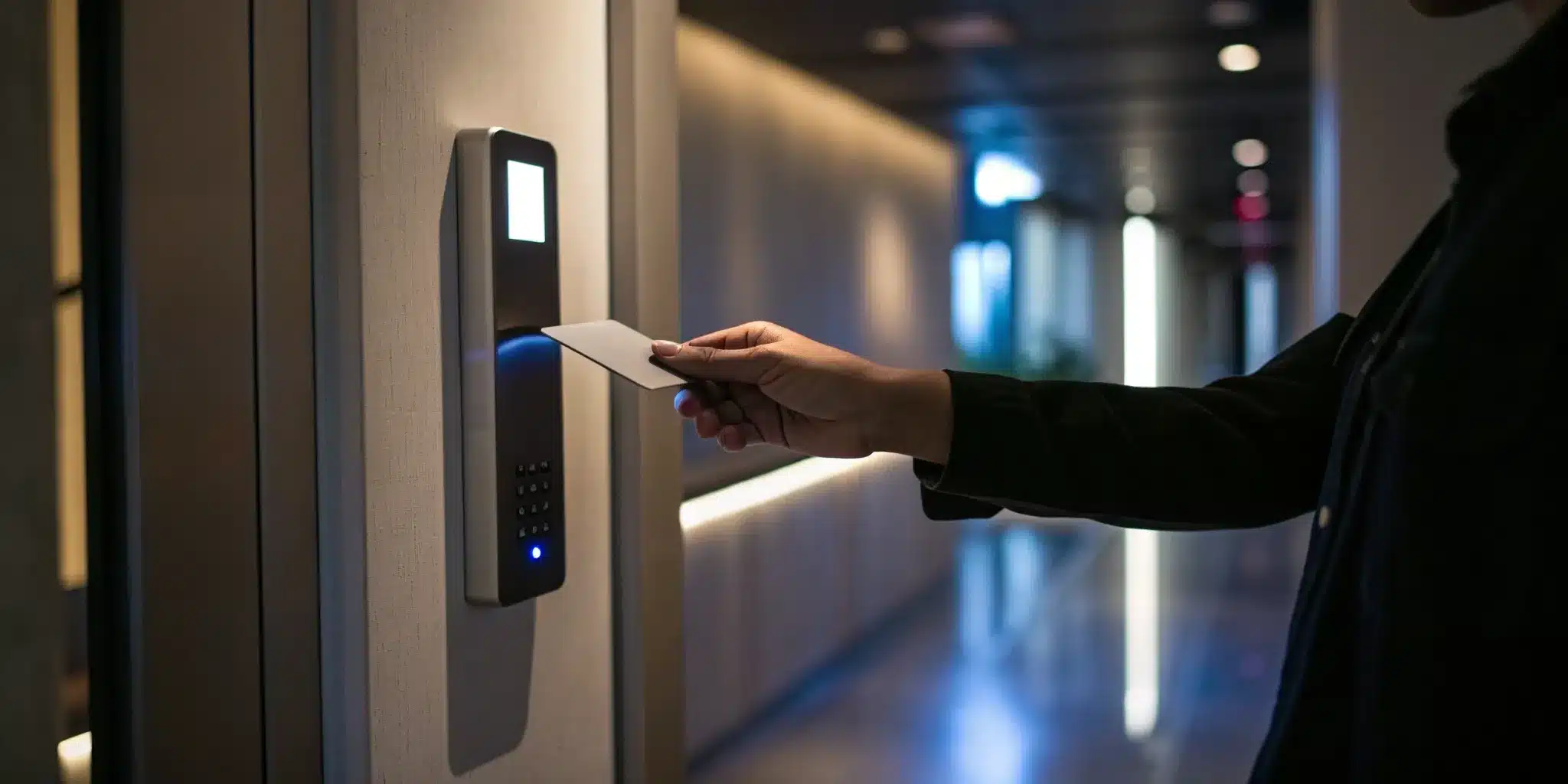
Let’s be honest—managing physical keys for your business or residential building is a constant headache. An employee leaves, a tenant moves out, or a key simply gets lost, and suddenly you’re facing the cost and hassle of rekeying every lock. It’s an outdated system that offers very little control. This is where modern security steps in. By switching to electronic access control credentials, you trade that bundle of metal keys for a smarter, more flexible system using key cards, fobs, or even your smartphone. This guide will walk you through what these credentials are, how they work, and why they are a game-changer for securing your property.
Key Takeaways
- Instantly Manage Who Has Access: Electronic credentials allow you to grant or revoke access permissions in real-time, monitor entry logs, and eliminate the cost and hassle of rekeying locks when a key is lost or an employee leaves.
- Choose the Right Tool for the Job: Balance your specific security needs with your budget by selecting the right credential type, from cost-effective key cards for general use to highly secure biometric scanners for sensitive areas.
- Ensure a Smooth Implementation: A new system’s success hinges on more than just technology. Professional installation, clear team training, and a consistent maintenance plan are crucial for keeping your system effective and your property secure.
What Are Electronic Access Credentials?
Think of electronic access credentials as the modern-day key. Instead of a piece of metal cut into a specific pattern, you use a card, a key fob, your smartphone, or even your fingerprint to unlock a door. These credentials are the “keys” to an Electronic Access Control (EAC) system, which uses electronic locks and readers to manage who can come and go. It’s a smarter, more secure way to control entry to your home or business.
These systems are a significant upgrade from traditional locks. With a physical key, you have very little control once it leaves your hand. It can be copied, lost, or stolen, creating a security risk you might not even be aware of. Electronic credentials, on the other hand, give you complete authority. You can grant or revoke access instantly, track who enters and when, and set specific schedules for when a credential will work. This technology is a core component of modern security systems, offering a flexible and powerful way to protect your property.
Moving Beyond Traditional Keys
Let’s be honest—traditional keys have their limits. If an employee leaves your company or a tenant moves out, you’re left with the hassle and expense of changing the locks to ensure they can’t get back in. With security incidents on the rise for businesses, relying on old-school keys can feel like a gamble. This is where electronic access control changes the game.
Instead of rekeying your entire building, you can simply deactivate a specific key card or fob from the system in a matter of seconds. This gives you immediate peace of mind and a much higher level of control over your property. It’s a proactive approach to security that helps you manage and monitor your space far more effectively than a simple lock and key ever could.
How They Connect to Your Security System
An electronic credential does more than just open a door; it communicates with your entire security network. When you present your card, phone, or fingerprint to a reader, the system works to confirm your identity before granting access. This digital handshake is the first step in a much larger, integrated security process.
The real strength of these systems is their ability to work with other security devices. For instance, you can connect your access control system to security cameras, alarms, and smart sensors. This allows for automated responses to potential threats. If an unauthorized credential is used, the system can automatically trigger an alarm, lock down other doors, and start recording video footage of the area. This turns your building’s entry points into active parts of your commercial security strategy.
What Types of Electronic Credentials Can You Use?
Once you decide to move beyond traditional keys, you’ll find a few different types of electronic credentials to choose from. Think of these as the modern-day keys that grant access to your property. Each option offers a unique balance of security, convenience, and cost, so the best one for you really depends on your specific needs. Whether you’re securing a small office in Brooklyn or a large residential building in Manhattan, understanding these credentials is the first step toward a smarter security setup.
The main options you’ll encounter are key cards and fobs, smart cards, mobile credentials on your phone, and biometric scanners. Some are simple tap-and-go solutions, while others use your unique biological traits to grant entry. We’ll walk through how each one works, so you can get a clear picture of what might fit your commercial security needs and make an informed decision for your property.
Key Cards and Fobs
You’ve probably used a key card at a hotel or a fob to get into your office building. These are some of the most common electronic credentials, and for good reason. They are straightforward to use—just a quick tap or wave in front of a reader unlocks the door. The real security advantage over a metal key is that if a card or fob is lost or stolen, it can be instantly deactivated. This means you don’t have to worry about rekeying all your locks. These systems are a reliable and cost-effective way to manage access for employees or tenants.
Smart Cards
Smart cards look just like regular key cards, but they have a tiny, powerful microchip inside. This chip allows for more advanced encryption and can store extra information, making them significantly more secure. Think of it as the difference between a basic library card and a credit card with a chip. Because of their enhanced security features, smart cards are an excellent choice for businesses or facilities that need to protect sensitive areas, like server rooms or research labs. They provide an extra layer of defense that’s much harder to duplicate than a standard key card.
Mobile Access on Your Smartphone
For ultimate convenience, you can turn your smartphone into your key. Mobile access credentials let you unlock doors simply by holding your phone near a reader or even by using an app from a distance. This is becoming an incredibly popular option because, let’s be honest, most of us never go anywhere without our phones. It eliminates the need to carry an extra card or fob and makes it easy to grant temporary access to visitors or service providers remotely. Integrating mobile access is a key feature of modern security systems that prioritize both flexibility and control.
Biometric Scanners
When security is your absolute top priority, biometric scanners are the gold standard. These systems use your unique biological traits—like your fingerprint, face, or even your iris—to verify your identity. Because these characteristics are unique to you, biometric credentials are the most difficult type to fake or steal. You’ll often find them protecting high-risk areas where only specific, authorized individuals should ever have access. While they represent a bigger investment, they offer a level of security that is nearly impossible to breach, giving you complete peace of mind.
How Do Electronic Credentials Actually Work?
It might seem like magic when a door clicks open with just the tap of a card or a wave of your phone, but the process behind it is actually quite straightforward. Think of it like using your debit card at an ATM. You present your card (the credential), the machine reads it (the reader), checks with the bank to see if you have access (the control panel), and then grants you access to your funds (unlocks the door). Electronic access control systems operate on this same fundamental principle of request, verification, and action.
At the core of any system are four key components working together. First, you have the credential itself—the key card, fob, or smartphone app. Second is the reader, the device mounted by the door that scans your credential. Third is the control panel, which is the brain of the operation. It stores all the access permissions and makes the decisions. Finally, there’s the electronic lock on the door that receives the command to open. When you present your credential to the reader, it kicks off a near-instantaneous chain of communication between these components to verify your identity and let you in. This entire process is what makes modern security systems so efficient and reliable.
The Process for Verifying Access
So, what happens in that split second between when you tap your key fob and the door unlocks? It’s a simple, lightning-fast verification process. First, you present your credential to the reader. The reader captures the unique identifier stored on your credential and sends it to the access control panel. This panel acts as the system’s central database, holding a list of all approved credentials and their specific permissions—like which doors they can open and at what times. The panel instantly checks if your credential’s identifier is on the approved list for that particular door at that exact moment. If everything matches up, the panel sends an electronic signal to the lock, telling it to disengage and grant you entry.
Secure Communication and Encryption
A common question is whether someone could copy a credential or intercept the signal to gain unauthorized access. This is where encryption comes in. The communication between your credential, the reader, and the control panel isn’t sent in plain text. Instead, it’s scrambled using sophisticated encryption protocols. This makes the data unreadable to anyone trying to eavesdrop on the signal. Higher-security credentials, like certain smart cards, use advanced encryption that is constantly changing, making them extremely difficult to duplicate. This secure, digital handshake ensures that only the authentic credential can communicate with your system, keeping your property safe from digital lock-picking.
Managing and Tracking Entry
One of the biggest advantages of electronic credentials is the control and visibility they provide. Unlike a traditional key that you can’t track, every use of an electronic credential creates a digital footprint. Through a software interface, you can see a detailed log of who entered, which door they used, and the exact time of entry. This is incredibly useful for monitoring activity and investigating any incidents. Even better, you can manage access remotely. If an employee leaves, you can instantly revoke their credentials from your computer without needing to change the locks. This level of dynamic control is a game-changer for any commercial locksmith client looking to streamline their security operations.
Are Electronic Credentials Worth It? The Pros and Cons
Switching from traditional keys to an electronic system can feel like a big leap. You might be wondering if the benefits really outweigh the costs and the effort of making a change. The short answer is that for most businesses and even many homes, the upgrade offers a level of control and security that old-fashioned locks simply can’t match. Let’s break down the pros and cons to help you decide if it’s the right move for you.
Gaining More Security and Control
One of the biggest advantages of electronic access is the immediate improvement in security. With traditional keys, if one is lost or an employee leaves, your only real option is to rekey or replace the locks to ensure the property is secure. Electronic Access Control (EAC) systems change the game completely. If a key card is misplaced or a smartphone is stolen, you can deactivate its access instantly from a central system. This means you can resolve a potential security breach in seconds, not hours or days. This level of dynamic control is essential for modern security systems, giving you peace of mind that only authorized individuals have access at any given time.
The Convenience of Remote Management
Imagine being able to grant access to a delivery person or a new employee without ever leaving your desk—or even when you’re out of town. That’s the power of remote management. Most modern access control systems are cloud-based, allowing you to add or remove users, check entry logs, and even unlock doors from your computer or smartphone. This is incredibly useful for commercial locksmith clients who manage multiple employees or need to provide temporary access to vendors. As more systems embrace mobile credentials, the convenience only grows. Your phone is already with you, making it a secure and easy-to-use key that’s much harder to forget or lose.
Understanding the Costs and Setup
It’s true that installing an electronic access system involves a higher upfront cost than standard locks. The price can vary quite a bit depending on the type of credentials you choose—from simple key fobs to advanced biometric scanners—and the number of doors you need to secure. It’s not a one-size-fits-all solution. The best type of access credential really depends on your specific needs, your budget, and how people will interact with the system daily. Think of it as an investment in long-term security and operational efficiency. While the initial setup costs more, it can save you money over time by eliminating the need to rekey locks and providing better oversight of your property.
Clearing Up Common Myths
A common concern is that electronic systems are complicated to use and that employees will struggle to adapt. While a poorly planned system can cause headaches, a professionally installed one is designed to be intuitive. The goal is to find the right balance between security and convenience, not to create frustrating barriers. Another myth is that these systems are easy to hack. In reality, modern electronic credentials use strong encryption to protect their signals, making them far more secure than a physical key that can be easily copied. Proper installation and maintenance are key to ensuring the system works seamlessly and remains secure.
How to Choose the Right Credential for Your Business
Picking the right access credential for your business can feel like a big decision, but it doesn’t have to be complicated. With options ranging from simple key fobs to using your own smartphone, the key is to find what works for your space, your team, and your budget. There’s no single “best” choice for everyone; the ideal solution for a small boutique in Brooklyn will be very different from what a large corporate office in Manhattan needs.
The goal is to find that perfect balance of security, convenience, and cost. Think of it as a three-step process: first, you’ll get clear on what you actually need to protect. Then, you’ll weigh your options based on their features and price tags. Finally, you’ll think about the future to make sure the system you choose can grow with you. Let’s walk through how to find the best fit for your business, so you can feel confident in your choice and focus on what you do best.
Assess Your Security Needs
Before you even look at specific products, take a moment to think about your unique situation. What are you trying to protect? Who needs to get in and out, and which areas require restricted access? A system for a general office floor will have different requirements than one for a server room or a storage area with high-value inventory. Different credentials come with different features and costs, so it’s important to match the tool to the job. A great first step is to work with a professional on a commercial security assessment to identify your property’s specific vulnerabilities and access control requirements.
Compare Options by Security and Cost
Once you know what you need, you can start comparing credentials. This is where you balance your security goals with your budget. For many businesses, proximity cards are a good, affordable choice for basic access. However, if you need a higher level of protection, it’s worth looking at smart cards, which offer better security and can handle more complex tasks. While high-security credentials provide an extra layer of defense, they do cost more and still carry the risks of any physical card, like being lost or stolen. The key is to find the sweet spot where you feel secure without overspending on features you don’t need.
Plan for Integration and Growth
Your business isn’t static, and your security system shouldn’t be either. When choosing a credential type, think about where your company is headed. Will you be hiring more employees or expanding to a new location? Look for flexible access control systems that allow you to use different types of credentials together. For example, you might use key fobs for most employees but mobile access for managers. The growing trend of using smartphones for access shows how quickly technology is moving, so picking an adaptable system ensures you won’t have to start from scratch in a few years.
How to Get Your New System Up and Running
Once you’ve chosen the right electronic credentials for your property, the next step is putting your new system into action. A successful rollout involves more than just flipping a switch. It requires careful installation, clear communication with your team, and a plan for ongoing maintenance to ensure your security remains solid for years to come. Let’s walk through how to make the transition smooth and effective.
The Importance of Professional Installation
While it might be tempting to DIY your new access control system, professional installation is one of the smartest investments you can make in your security. A professional ensures that every component, from the card reader to the door strike, is installed correctly and functions seamlessly. When you install a security system, an expert will help you plan for details you might overlook, like assigning different credential types for specific areas, setting up remote management, and creating a process for temporary visitor access. They’ll also make sure the physical hardware is sound, which is a critical part of the setup. A poorly installed lock or door can undermine even the most advanced electronic system.
Getting Your Team On Board
For businesses, a new security system is only as strong as the team that uses it. If the system is confusing or difficult to use, you might find employees propping doors open or sharing credentials, which defeats the purpose of the upgrade. To avoid this, focus on clear and simple training. Walk your team through how to use their new credentials and explain the reasons behind the change. When people understand why a new process is in place, they’re much more likely to follow it. A smooth rollout prevents the kind of operational bottlenecks that can happen when a team resists a new system, ensuring your day-to-day operations continue without a hitch.
Keeping Your System Maintained and Secure
Your security needs don’t end after installation. Think of it as an ongoing process. Regularly review who has access to which areas and remove permissions for former employees immediately. It’s also a good idea to keep your system’s software updated to protect against new threats. As your needs evolve, you can add layers of security. To reduce the risk of copied credentials, many businesses implement multi-factor authentication, like requiring a PIN along with a key card. If you’re using biometrics, remember that you have a responsibility to protect that sensitive data and stay informed about privacy regulations. Regular check-ins will keep your system effective and your property secure.
Related Articles
- The Guide To Biometric Access Control Systems In NYC
- A Guide To Cloud-Based Access Control Systems
- Access Control Systems
- A Guide to Video & Access Control Integration
Frequently Asked Questions
What happens if I lose my key card or my phone is stolen? This is one of the best reasons to switch to an electronic system. Unlike a lost metal key that leaves you vulnerable, a lost electronic credential can be dealt with immediately. You can log into your system from a computer or another device and instantly deactivate the lost card, fob, or mobile credential. This means the lost item becomes useless for accessing your property, giving you instant peace of mind without the cost and hassle of changing all your locks.
Are these systems only for large commercial buildings? Not at all. While they are a fantastic solution for businesses managing multiple employees, electronic access control systems are becoming very popular for residential buildings and even single-family homes. The ability to grant temporary access to a dog walker or contractor, track when your kids get home, and never worry about lost keys offers a level of convenience and security that homeowners in busy areas like Manhattan and Brooklyn really appreciate.
Is it possible for someone to hack or copy my electronic credential? This is a valid concern, but modern systems are designed with strong security in mind. The communication between your credential and the reader is protected by encryption, which scrambles the data to prevent it from being intercepted. While no system is 100% foolproof, a high-quality electronic credential, especially a smart card or mobile credential, is significantly harder to duplicate than a standard metal key, which can be copied at almost any hardware store.
How is deactivating a key fob different from just rekeying a traditional lock? The biggest differences are speed and cost. When you need to rekey a traditional lock, you have to schedule a locksmith to come out, physically alter the lock, and distribute new keys to everyone who needs one. Deactivating a key fob, on the other hand, takes just a few seconds in a software program. You can do it yourself, from anywhere, and it doesn’t affect anyone else’s access, making it a much more efficient and cost-effective way to manage your property’s security.
What’s involved in the installation process? Will it disrupt my business? A professional installation is designed to be as smooth as possible. An expert will work with you to plan the entire setup, from choosing the right hardware for your doors to programming the system to fit your specific needs. While there is physical work involved, a skilled technician can often complete the installation with minimal disruption to your daily operations, ensuring your new security system is up and running correctly without causing unnecessary downtime for your business.
Need professional help in NYC? Contact Golden Key Locksmith NYC for Key Card Entry Systems or Access Control Systems. Available 24/7 across Manhattan and all NYC boroughs.