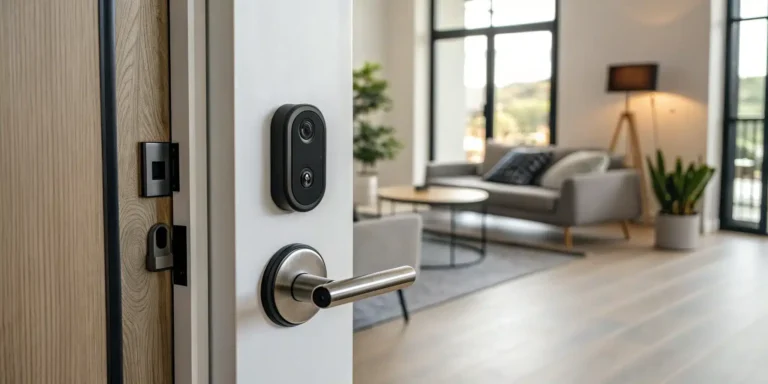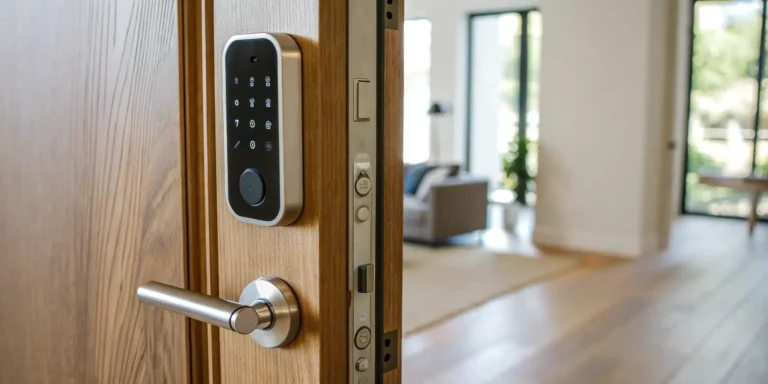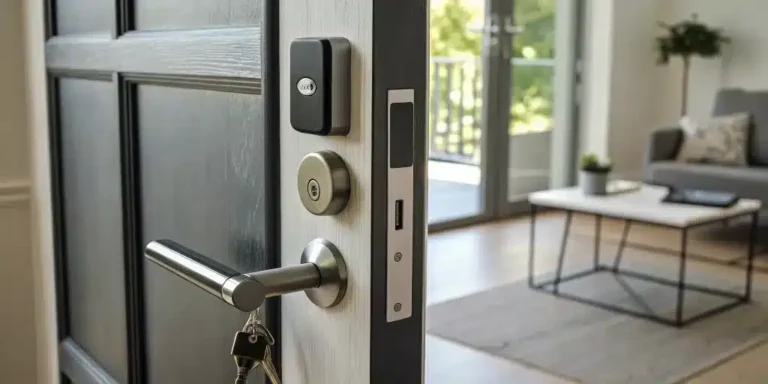
To lock a smart lock from outside, use the exterior keypad or touch control, tap Lock in the app, enable auto-lock, or use the physical key backup if the battery is dead. The exact method varies by model, so confirm the door is latched and wait for the lock’s confirmation tone or icon before leaving. If the lock is not installed or calibrated correctly, start with our smart lock installation service guide.
Key Takeaways
- Master Your Access Options: A smart lock gives you the freedom to secure your door in multiple ways, whether it’s through a one-touch keypad, your smartphone app from across town, or a simple voice command as you walk out.
- Practice Proactive Digital Security: Treat your smart lock like any other connected device by using strong, unique access codes, keeping its software updated, and deleting temporary codes after use to keep your entry points secure.
- Always Plan for a Backup: Technology isn’t infallible, so be prepared for common issues like dead batteries or connectivity glitches. Knowing your basic troubleshooting steps and keeping the physical backup key in a safe, accessible spot ensures you’ll never be left stranded.
What Is a Smart Lock?
If you’ve ever fumbled for your keys with an armful of groceries, you’ve probably wished for an easier way to get inside. That’s where a smart lock comes in. Think of it as a digital doorman for your home. A smart lock is an electronic lock that lets you secure and open your door without a physical key. Instead of a traditional key, you can use a keypad with a code, a smartphone app, your fingerprint, or even a voice command. It’s all about giving you secure, key-free access to your home or business, making your daily routine a little smoother.
These locks replace your existing deadbolt and integrate with your home’s Wi-Fi or Bluetooth, connecting directly to your smartphone. If fit or compatibility is uncertain, professional smart-lock installation can help. This connection is what opens up a world of convenience and control, letting you manage your home’s security from anywhere. Whether you’re letting in a dog walker while you’re at work or just want to be sure your door is locked at night, a smart lock puts that power right in your hands. It’s a simple upgrade that can make a big difference in how you interact with your home’s security.
What Makes It “Smart”
So, what exactly puts the “smart” in a smart lock? It’s the ability to communicate and be controlled remotely. Unlike a standard lock, a smart lock connects to your phone and other smart devices, giving you a direct line to your front door no matter where you are. This means you can lock or unlock your door from your office, grant temporary access to a guest without sharing a key, or check the lock’s status from your couch.
The intelligence of a smart lock also comes from its ability to log activity. You can see a history of who has entered and when, which is great for keeping track of service appointments or knowing when the kids get home from school. This combination of remote control, access management, and activity monitoring provides a level of convenience and peace of mind that traditional locks simply can’t match.
Key Components
A smart lock might seem complex, but it’s made up of a few key parts working together. First, there’s the exterior component, which usually includes a keypad, a fingerprint scanner, or a discreet touch surface. This is what you’ll interact with from the outside. On the inside, you have the housing that contains the motor, batteries, and the thumb turn for manual locking.
The real magic, however, is in the digital components. Smart locks rely on a mobile app that you install on your smartphone. This app is your command center, allowing you to lock and unlock the door, add or remove user codes, and view the activity log. Many of these devices are key parts of modern security systems, connecting via Bluetooth or Wi-Fi to give you seamless control over your home’s entry points.
Common Smart Lock Types
Smart locks aren’t a one-size-fits-all solution; they come in several different styles to suit your needs. The most popular type is the keypad smart lock, which allows you to enter a numerical code to unlock the door. Many of these also have a traditional keyhole as a backup. Another common option is the completely keyless touchscreen deadbolt, which offers a sleek, modern look.
For an even higher level of tech, there are biometric smart locks that use your fingerprint for access—no codes to remember. There are also locks that operate primarily through your smartphone via Bluetooth, automatically unlocking when your phone is near. Each type offers a different balance of convenience and features, so you can choose the one that best fits your lifestyle.
Must-Have Security Features
When you’re upgrading your locks, security is obviously the top priority. Smart locks are designed with robust security features to keep your home safe. They use strong encryption to protect the digital signal between your phone and the lock, preventing unauthorized access. This is a critical feature for any residential locksmith service to confirm during installation.
Look for models that send you real-time alerts on your phone if someone tries to tamper with the lock or enters an incorrect code too many times. Another great feature is an auto-lock function, which automatically secures your door after a set period, so you never have to worry if you forgot to lock it. Many also include a built-in alarm that sounds if forceful entry is detected, adding another layer of protection for your home.
How to Lock Your Smart Lock from the Outside
One of the best parts about upgrading to a smart lock is the flexibility it gives you. Gone are the days of fumbling for your keys with your hands full or that nagging feeling on the subway that you forgot to lock the door. Smart locks offer several simple and secure ways to lock up when you leave, so you can choose the method that works best for you in any given moment. Whether you prefer a quick tap on a keypad, a command to your smart speaker, or just want the peace of mind of an automatic lock, there’s an option for you. Let’s walk through the five most common ways to lock your smart lock from the outside, so you can leave your home confident that it’s secure.
Use the Digital Keypad
This is often the quickest and most straightforward method. Most smart locks with a keypad have a one-touch locking feature. After you’ve closed the door behind you, simply wake the keypad with a touch of your hand. Then, press the dedicated lock button—it’s often a checkmark, a lock symbol, or the pound (#) key. You’ll usually hear a beep or see a light flash to confirm that the deadbolt has engaged. It’s a simple, muscle-memory action that gives you instant confirmation that your home is secure before you walk away. This is especially handy when you’re juggling groceries or trying to get out the door quickly.
Control with Your Mobile App
Your smartphone is your new key. Nearly every smart lock comes with a companion mobile app that puts control right at your fingertips. If you’re already down the block and have that moment of doubt, just open the app. You can see the current status of your lock and tap a button to secure it from anywhere you have an internet connection. The app also provides an activity log, so you can see exactly when the door was locked or unlocked. This level of control is a core part of modern security systems and offers incredible peace of mind, especially for busy New Yorkers who are always on the go.
Use Voice Commands
If your home is already set up with a smart assistant, you can lock your door without lifting a finger. By connecting your smart lock to systems like Amazon Alexa, Google Assistant, or Apple HomeKit, you can use simple voice commands. As you’re gathering your things to leave, you can just say, “Hey Google, lock the front door,” or “Alexa, secure the main entrance.” It’s incredibly convenient when your hands are full or you’re in a rush. This hands-free option seamlessly integrates your home’s security into your daily routine, making it easier than ever to stay protected without breaking your stride.
Rely on the Physical Key Backup
Technology is great, but it’s always smart to have a backup plan. That’s why most smart locks still include a traditional keyhole. This physical key is your fail-safe if the lock’s batteries die unexpectedly or you run into a technical glitch. Just use it like you would any standard lock—insert the key and turn it to engage the deadbolt. It’s a good idea to keep a backup key with a trusted neighbor or in a secure spot outside your home. If you ever find yourself unable to use the electronic features, this old-school method will save the day and help you avoid calling an emergency locksmith.
Set Up Auto-Lock
For the ultimate “set it and forget it” security, the auto-lock feature is a game-changer. You can program your smart lock to automatically engage the deadbolt after the door has been closed for a specific amount of time, like 30 seconds or a minute. This is perfect for busy mornings or for anyone who worries about forgetting to lock up. You can typically enable and customize this feature right in your lock’s mobile app. It’s a simple setting that ensures your door is always locked, giving you one less thing to think about as you go about your day.
Manage Your Smart Lock Remotely
One of the biggest perks of a smart lock is the ability to manage your front door from anywhere. Whether you’re at the office, on vacation, or just in the backyard, remote access gives you complete control and peace of mind. It’s about more than just locking and unlocking; it’s about creating a flexible and secure entry system for your home or business. Let’s walk through how to make the most of these features.
Set Up Remote Access
Getting started with remote access is usually as simple as downloading your smart lock’s companion app to your smartphone. Once you’ve created an account and paired it with your lock, you can control it with a single tap. The app’s dashboard will typically show you the current status—locked or unlocked—so you’ll never have to wonder if you forgot to lock the door. Most apps also keep a detailed activity log, giving you a complete history of who has used the lock and when. This feature is a core part of modern security systems that put control right in your hands.
Wi-Fi vs. Bluetooth: What’s the Difference?
Your smart lock connects using either Bluetooth or Wi-Fi, and it’s important to know the difference. Bluetooth has a short range, meaning you need to be nearby (typically within 30 feet) to control the lock with your phone. For true remote access from anywhere in the world, you’ll need a Wi-Fi-enabled lock. Some locks have Wi-Fi built-in, while others use a small bridge that plugs into an outlet and connects your lock to your home’s network. This connection is what allows you to manage your residential locksmith needs from anywhere, whether you’re letting a friend in or just checking that everything is secure.
Manage Access for Multiple Users
Forget making copies of keys. With a smart lock, you can grant access to family, friends, or service providers by creating unique digital keys or PIN codes. You have full control over this access. For example, you can create a temporary code for a house guest that only works for the duration of their stay or a recurring code for a cleaner that’s only active on Tuesday afternoons. This is especially useful for businesses that need to manage employee access. Revoking access is just as easy and can be done instantly through the app, offering a flexible solution for any commercial locksmith requirement.
Monitor Lock Activity
A great smart lock app will send real-time notifications directly to your phone whenever your door is locked or unlocked. This means you’ll know the moment your kids get home from school or when a package has been delivered. The activity log provides a timestamped record of every event, including who accessed the door and how (e.g., via keypad, app, or physical key). This constant monitoring provides an incredible sense of security. And if you ever see unexpected activity, you know who to call for emergency locksmith services to ensure your property is safe.
Enable Two-Factor Authentication
Digital security is just as important as physical security. To protect your account from unauthorized access, always enable two-factor authentication (2FA) in your smart lock app. This adds an extra layer of security by requiring a second verification step, like a code sent to your phone, before granting access to your account. The locks themselves are designed with security in mind, using strong encryption to protect against hacking. Many also feature tamper alerts that notify you if someone tries to break the lock or enters an incorrect code too many times, making them a robust part of your home’s security systems.
How to Troubleshoot Common Smart Lock Issues
Even the best tech can have its off days. If your smart lock is acting up, don’t panic. Most issues have simple fixes you can handle yourself. Before you call for backup, walk through these common troubleshooting steps to see if you can get your lock working smoothly again.
Solve Common Battery Problems
The number one reason a smart lock stops working is dead batteries. It’s an easy fix, but it can catch you off guard. Most locks will give you a low-battery warning via the app or a blinking light on the unit itself—don’t ignore it! If the batteries die completely, you won’t be able to use the keypad or app. Some models have a handy USB port on the exterior where you can connect a power bank for a temporary charge, giving you just enough juice to get inside. Keep a spare set of the correct batteries on hand so you’re always prepared.
Fix Connectivity Issues
Is your app refusing to connect to your lock? The fix often depends on whether your lock uses Wi-Fi or Bluetooth. If it’s a Wi-Fi lock, check your home internet connection. Is your router working properly? A quick router reset can often solve the problem. For Bluetooth-only locks, remember that you need to be within a certain range—usually about 30 feet—for it to connect. If you’re still having trouble, try turning your phone’s Bluetooth off and on again. These simple steps can often restore the connection for your security systems.
Address Physical Alignment Problems
Sometimes the problem isn’t digital at all—it’s physical. A misaligned door or a blocked deadbolt can prevent the lock from engaging correctly. Check to see if anything is obstructing the bolt, like dirt, debris, or loose screws. Gently clean the keypad and the bolt mechanism. Over time, doors can shift, especially with changing seasons. If you have to push or pull on the door to get it to lock, the alignment is off. This puts stress on the lock’s motor and can cause it to fail. A professional door repair and installation can fix the underlying issue.
Know Your Emergency Access Options
Technology is great, but it’s always smart to have a backup plan. Nearly every smart lock comes with a physical key for emergencies, just like a traditional lock. This is your lifeline if the batteries die, the keypad malfunctions, or the electronics fail. Make sure you know where your backup key is at all times. Keep it somewhere safe and accessible outside your home—perhaps with a trusted neighbor or in a secure lockbox. Don’t make the mistake of locking your only backup key inside the very place you’re trying to get into.
When to Call a Professional
If you’ve replaced the batteries, checked your connection, and cleared any physical obstructions, but the lock still won’t work, it’s time to call in an expert. Trying to force the lock or taking it apart yourself can cause more damage and potentially void your warranty. A professional locksmith has the tools and experience to diagnose complex mechanical or electronic failures without damaging your door. If you’re locked out and can’t get in, our emergency locksmith team is available 24/7 to help you get back inside safely.
Best Practices for Smart Lock Security
A smart lock is a fantastic upgrade for your home or business, but its security is only as strong as the habits you build around it. Think of it like any other piece of technology—your phone, your laptop—it works best when you use it thoughtfully. The good news is that keeping your smart lock secure doesn’t require a technical degree. It’s all about a few simple, consistent practices that make a huge difference. By taking a few extra steps, you can ensure your lock is a powerful asset for your property’s protection, not a vulnerability. These best practices will give you peace of mind, knowing you’re getting the most out of your investment in modern security systems and keeping your property safe.
Manage Your Access Codes Wisely
Your access code is the digital key to your home, so treat it with care. Avoid using obvious combinations like your birthday, address, or “1234.” The best codes are random strings of numbers that have no personal meaning. It’s also a smart habit to change your main code every few months. If you grant temporary access to a service provider or guest, be sure to delete their code once they no longer need it. This simple code hygiene is a critical step in maintaining security for any residential locksmith setup, ensuring only authorized people have access.
Perform Regular Maintenance
A quick check now and then can prevent major headaches later. Before you walk away, give the door handle a jiggle or glance at the app to confirm the lock has fully engaged. This simple action takes only a second and verifies that your door is secure. Maintenance also includes keeping an eye on your battery levels and changing them before they die completely. You should also periodically check that the deadbolt moves smoothly. If you notice it sticking or catching, the issue might be with the door’s alignment, which could require a professional door repair to fix.
Keep Your Software Updated
Just like your smartphone, your smart lock runs on software that the manufacturer occasionally updates. These updates are important—they often contain critical security patches that protect your lock from new vulnerabilities. Many smart lock apps allow you to turn on automatic updates, which is the easiest way to stay current. If not, make a habit of checking for updates in the app every month or so. Running the latest software ensures your lock is equipped with the most recent security features and performance improvements, keeping its digital defenses strong.
Understand Tamper Protection
One of the best features of a smart lock is its ability to alert you to suspicious activity. Most models have built-in tamper protection that sends a notification to your phone if someone tries to physically break the lock or enters the wrong code too many times. Make sure you have these alerts enabled in your app. This feature acts as an early warning system, giving you immediate insight into a potential security threat. It’s a significant advantage over traditional locks, offering you an active role in monitoring your property’s safety.
Plan for Backup Access
Technology is great, but it’s not foolproof. Batteries can die, and Wi-Fi can go down. That’s why having a backup plan is essential. Most smart locks come with a physical key for emergencies. Don’t hide this key under the doormat or a flowerpot—find a truly secure spot, like with a trusted neighbor or in a lockbox. Knowing how to use the physical key override can save you a lot of stress. And if you ever find yourself completely locked out, remember that a 24/7 emergency locksmith can always get you back inside safely.
Integrate Your Smart Lock with Your Smart Home
A smart lock is powerful on its own, but it truly shines when it becomes part of your connected home. Integrating your lock with other smart devices creates a seamless, automated environment that simplifies your daily routines and strengthens your home’s security. Instead of managing individual gadgets, you can create a system where your devices work together. Imagine your door locking automatically when you tell your smart speaker “goodnight,” or your lights turning on the moment you unlock the door after work. This level of integration turns your house into a responsive, intelligent home that works for you.
Find Compatible Smart Home Systems
Before you can create a connected home, you need to make sure your devices can communicate with each other. Most smart locks are designed to work with popular smart home ecosystems like Amazon Alexa, Google Assistant, and Apple HomeKit. Check the product specifications for your lock to see which platforms it supports. This compatibility is the key to unlocking advanced features, allowing your lock to interact with smart lights, thermostats, and speakers. Integrating your lock into these broader security systems allows you to build a comprehensive and centralized network for managing your home’s safety and accessibility from a single point of control.
Explore Key Mobile App Features
Your smartphone is the command center for your smart lock. Most brands have a dedicated phone app that lets you do much more than just lock and unlock the door. Take some time to explore all its features. You can typically check the lock’s status in real-time to confirm your door is secure, no matter where you are. The app also keeps a detailed activity log, showing you exactly when the door was accessed and by whom. This feature is perfect for keeping track of when the kids get home from school or when a service provider has entered your home, giving you complete oversight and peace of mind.
Set Up Your Voice Assistant
For ultimate hands-free convenience, connect your smart lock to a voice assistant. If your lock is compatible with systems like Amazon Alexa or Google Assistant, you can link them through their respective apps. Once connected, you can use your voice to secure your home. Simple commands like, “Hey Google, lock the front door,” are incredibly useful when your hands are full with groceries or you’re already tucked into bed. Setting this up usually only takes a few minutes and adds a layer of effortless control to your daily routine, making home security as simple as speaking a few words.
Create Automation Rules
Automation is where your smart home truly comes to life. You can set up rules, or “routines,” that trigger your lock to perform actions automatically based on specific conditions. A popular option is the auto-lock feature, which automatically secures your door after it has been closed for a set amount of time. You can also create more complex routines. For example, set up a “goodbye” scene that locks your door, turns off the lights, and adjusts the thermostat when you leave the house. These automations not only add convenience but also ensure your home is consistently secure, even if you forget to lock the door yourself.
Explore Advanced Smart Lock Features
Once you’ve mastered the basics of locking your door from the outside, you can start using the more advanced features that truly make these devices “smart.” Modern smart locks offer much more than just keyless entry; they provide a suite of tools designed to give you greater control, convenience, and peace of mind. From managing access for your dog walker to checking if your door is secure while you’re on vacation, these features transform your front door into an integral part of your home security system. They help you manage your home more efficiently and securely, taking the guesswork out of everyday routines. Let’s look at some of the most useful advanced capabilities you can set up.
Monitor Your Home Remotely
One of the biggest advantages of a smart lock is the ability to control and monitor your door from anywhere with an internet connection. Using a dedicated smartphone app, you can lock or unlock your door remotely. This is incredibly useful for letting in a friend to water your plants or granting access to a repair person when you’re stuck at the office. Beyond just locking and unlocking, you can also check the door’s current status to confirm you remembered to lock it before leaving. This remote access is a core component of modern security systems and offers a level of convenience that traditional locks simply can’t match.
Manage Guest Access with Ease
Say goodbye to hiding spare keys under the mat. Smart locks allow you to create unique, temporary digital keys or PIN codes for guests, cleaners, or contractors. You can grant access for specific time frames—for example, a code that only works on Tuesdays between 1 p.m. and 3 p.m. for your cleaning service. Once the scheduled time passes, the code expires automatically. This gives you complete control over who enters your home and when, without the security risk of physical keys that can be lost or copied. For landlords or Airbnb hosts, this feature is a game-changer, simplifying the process of managing access for multiple people.
Create Custom Lock Schedules
For those of us who are a bit forgetful, custom lock schedules are a lifesaver. You can program your smart lock to automatically secure itself at a set time every night, so you never have to lie in bed wondering if you locked the front door. You can also create schedules for it to unlock in the morning to make your exit seamless. For businesses, this feature ensures the property is secured automatically at the close of business each day. These automation rules help streamline your daily routine and add an extra layer of reliable security, making your commercial locksmith services even more effective.
Set Up Security Notifications
A smart lock keeps you in the loop with real-time security notifications sent directly to your phone. The companion app can alert you whenever your door is locked or unlocked, and it will tell you which user or code was used. This creates a detailed activity log, so you always know who is coming and going. You can also receive alerts for more critical events, such as multiple incorrect code entries, which could signal a potential security threat. Some systems will even notify you if the door is left ajar. These instant updates provide valuable insight and allow you to respond quickly to any unusual activity.
Check for Weather-Resistant Features
Living in New York means dealing with everything from summer humidity to winter snow and ice. It’s crucial to choose a smart lock built to withstand the elements. Look for models with strong weather-resistance ratings to ensure they won’t malfunction due to moisture or extreme temperatures. Most smart locks are battery-powered, which means they continue to function perfectly even during a power outage. A quality lock is also built from durable, corrosion-resistant materials. Ensuring your lock is installed correctly on a well-maintained door is just as important, so professional door repair and installation can make a big difference in its longevity and performance.
Related Articles
Frequently Asked Questions
What happens if my Wi-Fi or power goes out? Will I be locked out? Not at all. Your smart lock runs on batteries, so a power outage won’t affect its ability to function. If your Wi-Fi goes down, you may lose the ability to control the lock remotely through the app, but you can still use the keypad, your fingerprint, or the physical key backup to get inside. The lock’s core functions work independently of your home’s power or internet.
Are smart locks actually more secure than traditional locks? They certainly can be, especially when you use them correctly. Smart locks provide security features that traditional locks can’t, like sending you tamper alerts and keeping an activity log of who enters and when. You also eliminate the risk of lost or stolen keys by using digital codes that you can change or delete instantly, giving you much more control over who has access to your home.
Do I need a professional to install a smart lock? While some people choose to install smart locks themselves, a professional installation ensures everything is done correctly from the start. A locksmith will make sure the lock is perfectly aligned with your door and frame, which is crucial for the motor to work properly and avoid battery drain or damage. They can also help you set up the app and show you how to use all its features.
How do I give access to someone without a smartphone? This is one of the most convenient features of a smart lock. You can create a unique numerical code on the keypad for anyone who doesn’t use the app, like a family member, dog walker, or contractor. You have complete control over this code and can set it to be permanent, temporary for a specific date range, or recurring for certain days and times.
What’s the main difference between a Bluetooth and a Wi-Fi smart lock? The difference really comes down to range. A Bluetooth lock communicates directly with your phone only when you’re nearby, usually within about 30 feet. A Wi-Fi lock connects to your home’s internet network, which is what allows you to control and monitor it from anywhere in the world through its app. Some locks use a combination of both or require a small Wi-Fi bridge to enable that remote access.
Need professional help in NYC? Contact Golden Key Locksmith NYC for Smart Lock Installation NYC or Key Fob Entry Systems. Available 24/7 across Manhattan and all NYC boroughs.