

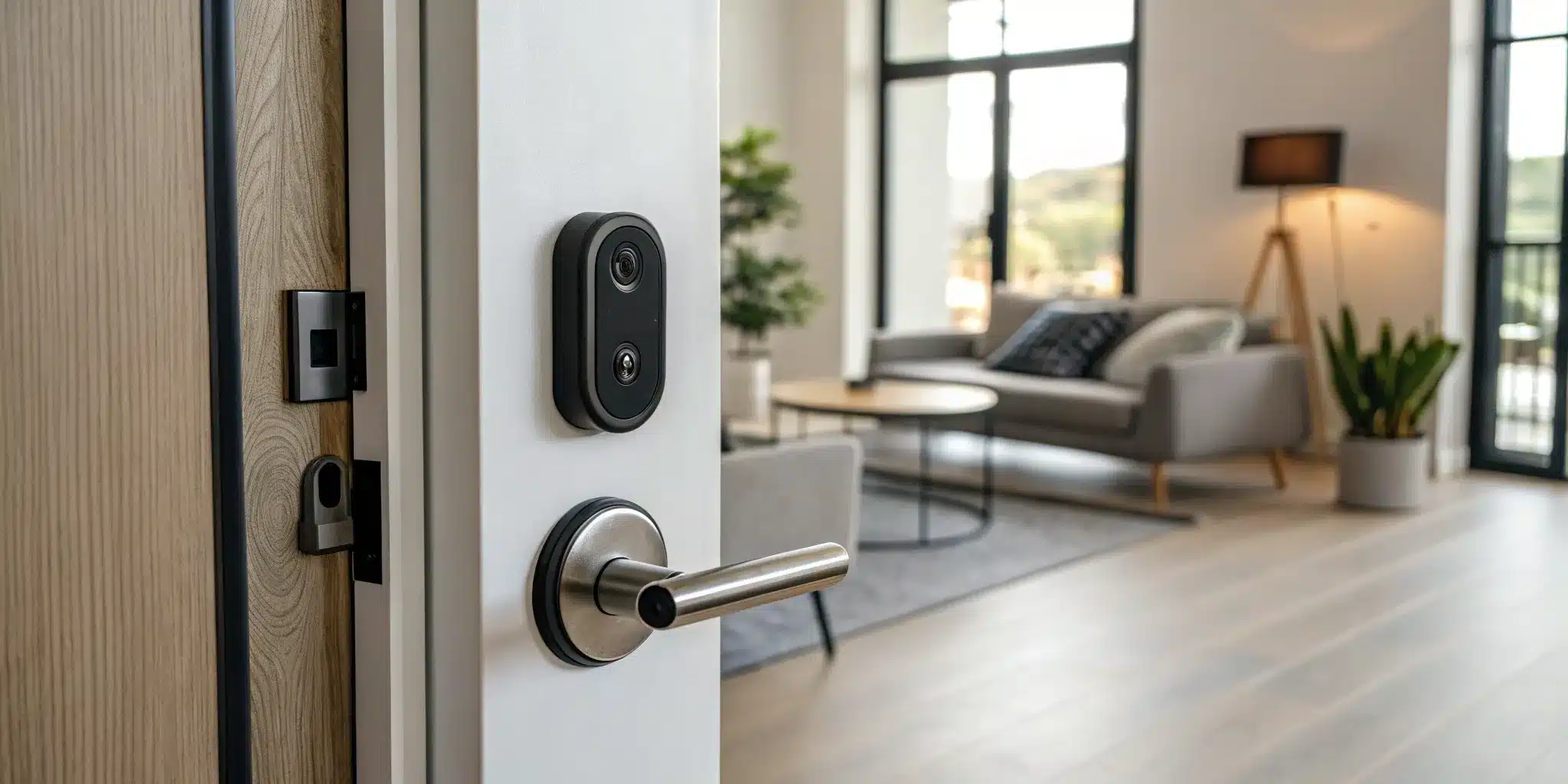
Let’s get straight to it: you want a smart lock, but you can’t drill into your door. Whether it’s a strict lease agreement or a personal preference, that single limitation can feel like a major roadblock. But it doesn’t have to be. The market is full of innovative smart locks designed specifically for this situation. These devices offer all the features you want—remote access, keyless entry, and activity logs—with a simple, damage-free installation. You don’t need to be a DIY expert or own a toolbox full of equipment. This guide will provide clear, step-by-step instructions on how to install a smart lock without drilling, making your security upgrade easy and stress-free.
Key Takeaways
- Check Your Door First: Before choosing a lock, confirm you have a standard single-cylinder deadbolt (the kind with a keyhole outside and a thumb-turn inside). This is the most critical step to ensure compatibility and avoid installation headaches.
- Proper Prep Guarantees a Secure Fit: The success of your installation is in the details. For adhesive models, thoroughly clean the door surface with alcohol to create a strong bond. For retrofit locks, make sure your existing deadbolt operates smoothly, as the smart lock depends on it.
- Simple Maintenance Keeps Your Lock Secure: A smart lock requires minimal but important upkeep. Always install software updates to protect against new threats and replace the batteries as soon as you get a low-power notification to prevent getting locked out.
Why Install a Smart Lock Without Drilling?
Thinking about upgrading to a smart lock but worried about drilling into your door? You’re not alone. Many people want the convenience of keyless entry without the commitment of permanent alterations. A no-drill smart lock offers the perfect middle ground, giving you modern features while keeping your original door hardware intact.
This approach is a game-changer for renters who need to follow lease agreements, but it’s also a fantastic option for homeowners who want a simple, reversible upgrade. You get the benefits of smart technology—like remote access and entry codes—without a complex installation process. It’s all about adding a layer of convenience and control to your existing setup.
The Perks for Renters and Homeowners
If you’re renting in NYC, you know that making permanent changes to your apartment is usually a big no-no. A no-drill smart lock lets you upgrade your security without risking your security deposit. Since it attaches to your existing deadbolt, you can easily install it and then remove it when you move out, leaving the door exactly as you found it.
Homeowners also find these locks incredibly useful. Maybe you want to test out smart home tech before committing, or perhaps you have a beautiful, historic door you don’t want to alter. These locks provide a powerful security upgrade without any permanent changes. It’s a flexible solution that adapts to your needs, whether you need a temporary lock or a long-term residential locksmith solution that preserves your home’s character.
A Look at Security and Convenience
No-drill smart locks are designed to work with your door’s current deadbolt, essentially giving your trusty lock a high-tech brain. This means you can enjoy features like keyless entry, granting temporary access to guests or dog walkers from your phone, and checking if your door is locked when you’re away from home. It’s a simple way to add peace of mind to your daily routine.
These devices also offer enhanced security features, such as activity logs that show you who has entered and when. While they add a significant layer of protection, it’s good to know that they may not automatically lower your insurance premiums unless your provider specifically recognizes them. They are a fantastic first step into building smarter security systems for your home or business, blending the reliability of a traditional lock with the intelligence of modern technology.
What Are Your No-Drill Smart Lock Options?
If the thought of drilling into your door gives you pause, you’re in luck. The world of smart locks has expanded to include some fantastic drill-free options that are perfect for renters, homeowners who want to avoid permanent alterations, or anyone who isn’t comfortable with a complex installation. These locks are designed to work with your existing hardware, giving you all the convenience of smart technology without any of the commitment. They offer a simple, reversible way to upgrade your home’s security. Let’s look at the most popular types you’ll find.
Retrofit Locks for Your Existing Deadbolt
Retrofit smart locks are a brilliant solution because they only replace the interior part of your current deadbolt—the thumbturn you use to lock the door from the inside. The exterior lock and keyhole remain exactly the same, so you can still use your original keys. This is a game-changer for renters who aren’t allowed to change the locks. Installation involves removing the two screws on your interior deadbolt plate, attaching the retrofit lock’s mounting plate, and then clipping the smart lock unit onto it. It’s a straightforward process that adds smart features like auto-locking and remote access while keeping your door’s original look. Before you install one, it’s wise to ensure your existing deadbolt is in good working order.
Adhesive-Mounted Smart Locks
For the ultimate easy installation, look no further than adhesive-mounted smart locks. These devices, like the popular SwitchBot Lock, are designed to stick directly onto your door, right over your existing thumbturn. The lock contains a small motor that physically turns the knob for you. Installation is as simple as peeling off the backing of the industrial-strength adhesive tape and pressing the device firmly into place. There are no screws and no tools required, and the whole process can take just a few minutes. This makes it an incredibly accessible option for anyone, regardless of their DIY skills. The key is to start with a clean, dry door surface to ensure the adhesive forms a strong, lasting bond.
Smart Covers for Your Deadbolt
Similar to retrofit locks, smart covers are designed to fit over the interior component of your deadbolt. They essentially serve as a high-tech housing for your existing lock mechanism, adding a layer of smart functionality without requiring you to replace the entire deadbolt. These devices can typically be installed in under 30 minutes and give you modern features like keyless entry via a smartphone app or keypad. They are a great middle-ground option, offering a secure, screw-based installation that doesn’t involve any drilling. By adding a smart cover, you can enhance your home security with digital keys and access logs, all while leaving your door completely intact.
Will a No-Drill Lock Fit Your Door?
Before you get excited and add a smart lock to your online cart, it’s a good idea to do a little homework on your door. The last thing you want is to unbox your new gadget only to find it’s not compatible. The good news is that most no-drill smart locks are designed to fit standard doors, but it’s always best to confirm. Taking a few quick measurements now will save you from a major headache later and ensure a smooth, secure installation.
Think of it like buying a new couch—you measure the space first to make sure it fits. The same logic applies here. We’ll walk through exactly what to check: your door’s thickness, its material, and the type of deadbolt you currently have. These details will help you choose a no-drill smart lock that installs perfectly and keeps your home secure. If you find that your door or existing lock isn’t standard, don’t worry. A professional can often make adjustments or recommend alternative security systems that will work for your specific setup. Let’s get into the specifics so you can shop with confidence.
Check Your Door’s Thickness and Material
First up is your door’s thickness. Most no-drill smart locks are designed for doors that are between 1⅜ and 2 inches thick, which covers the majority of residential doors. Grab a tape measure and check the thickness of your door to be sure. Also, consider the door’s material. While most locks work with wood, metal, or fiberglass doors, adhesive-mounted models stick best to smooth, clean surfaces. If your door has a highly textured or uneven surface, a retrofit lock that uses the existing hardware might be a better choice. If your door needs adjustments, our team can help with professional door repair and installation.
Confirm Your Deadbolt is Compatible
This is a big one. No-drill smart locks don’t replace your entire lock; they work with your existing deadbolt. Specifically, they are designed to fit over a standard single-cylinder deadbolt—the kind with a keyhole on the outside and a thumb-turn on the inside. If you have a double-cylinder deadbolt (which requires a key on both sides) or a more complex mortise lock, a no-drill retrofit lock likely won’t be compatible. Take a close look at your current lock. If it’s a standard deadbolt, you’re probably in good shape. This is the most common type of lock we see in our residential locksmith services.
How to Measure Your Current Hardware
Finally, let’s look at your existing hardware. While you won’t be drilling new holes, you need to ensure the smart lock can align with your current setup. The key measurement here is the “backset”—the distance from the edge of the door to the center of the deadbolt. Most are either 2⅜ or 2¾ inches. The smart lock’s specifications will tell you which backset sizes it supports. When you’re shopping, look at the installation method. As a general rule, if the lock comes with long screws in the box, it might require some drilling. If it relies on adhesive pads or a clamping mechanism, you’ve likely found a true no-drill option.
What Tools and Materials Will You Need?
One of the best parts about installing a no-drill smart lock is that you don’t need a workshop full of tools. Most of these kits are designed for a simple, straightforward DIY installation. Before you get started, it’s a good idea to unbox your new smart lock and lay out all the parts to make sure everything is there. While the exact tools can vary slightly by brand, you’ll find the list is refreshingly short.
Gathering your materials ahead of time will make the process go smoothly. Here’s a quick breakdown of what you’ll likely need, what’s nice to have, and how to prep your door for a secure fit.
Your Installation Shopping List
The good news is that your new smart lock probably comes with almost everything you need, including mounting plates, adapters, and screws. The main tool you’ll need to have on hand is a standard Phillips head screwdriver to remove your old thumbturn and install the new one.
Remember, these no-drill solutions are designed to retrofit your existing deadbolt. If your door doesn’t have a deadbolt, you’ll need to drill new holes, which is a much bigger project. If your door needs significant changes, it might be time to call in a professional for door repair and installation to ensure it’s done correctly and securely.
Supplies for a Clean Surface
If you’ve chosen an adhesive-mounted smart lock, this step is critical. For the lock to have a strong, lasting bond, it needs to stick to a perfectly clean surface. Any dust, grease, or grime can weaken the adhesive and cause the lock to fail over time.
Before you begin, grab an alcohol wipe or a clean cloth with some isopropyl alcohol. Thoroughly wipe down the area on your door around the deadbolt where the lock will be mounted. Give it a minute or two to dry completely. This simple action ensures the adhesive backing creates the strongest possible hold, keeping your new lock firmly in place.
Optional Tools to Make the Job Easier
You can definitely complete this project with just the basics, but a few extra items can make the process even simpler. A small level can help you position the lock perfectly straight—it won’t affect the function, but it will look much better. It’s also helpful to have your phone fully charged and nearby, as you’ll need it for the final setup and calibration steps.
While some lock installations require a special jig for drilling, you can enjoy keeping your power tools packed away for this easy residential locksmith upgrade.
How to Install a Retrofit Smart Lock, Step-by-Step
Installing a retrofit smart lock is one of the easiest ways to add keyless convenience to your home without altering your door. These locks are designed to work with your existing hardware, meaning you only replace the interior part of your deadbolt. The process is quick, requires minimal tools, and is completely reversible—perfect for renters or anyone who wants a straightforward upgrade. Follow these steps to get your new smart lock up and running in under an hour.
Prep Your Existing Deadbolt
Before you open the box, take a moment to check your current deadbolt. A retrofit lock attaches to your existing mechanism, so you want to make sure it’s in good shape. Open and close the deadbolt a few times. Does it turn smoothly, or does it stick? If it’s difficult to lock, the smart lock will struggle, too. A misaligned or old lock might need a quick adjustment or repair first. This is also a good time to confirm you have a standard, single-cylinder deadbolt, as most retrofit models are designed for this common lock type. Taking a few minutes to prep ensures your new gadget will work perfectly from day one.
Remove and Replace the Old Components
Grab a Phillips-head screwdriver—that’s likely the only tool you’ll need for this step. On the inside of your door, locate the screws on the thumb-turn (the knob you manually turn to lock the door). Carefully unscrew them and gently pull the thumb-turn assembly away from the door. The exterior part of your lock, where you insert the key, should stay exactly where it is. It’s a great idea to place the old screws and thumb-turn into a labeled plastic bag. This way, if you ever move or decide to switch back, you’ll have all the original parts ready to go.
Mount the New Smart Lock
With the old thumb-turn removed, you’ll see the flat metal bar, called a tailpiece, sticking through the door. Your new smart lock will come with a mounting plate that fits right over this. Align the plate with the screw holes from your old lock and make sure it’s sitting flush against the door. Some models may use an adhesive for extra stability, while most simply secure into place using the original deadbolt screws. Tighten them until the plate is firm and doesn’t wiggle. A stable base is essential for your lock’s residential security and smooth operation.
Add Batteries and Complete the Setup
Now for the final part. Insert the required batteries into the main body of the smart lock, then attach it to the mounting plate you just installed. It should click or slide securely into place. From here, the rest of the setup happens on your phone. Download the manufacturer’s app and follow the on-screen instructions. The app will guide you through connecting the lock to your Wi-Fi, calibrating it to know when it’s locked or unlocked, and setting up user access. This is where you can start exploring all the features of your new smart security system.
How to Properly Install an Adhesive Smart Lock
Adhesive-mounted smart locks are a fantastic, damage-free option, especially for renters. They stick directly onto your door over the existing deadbolt, so you don’t have to change keys or get a landlord’s permission. While the process is straightforward, a successful installation depends on getting the details right. Taking a few extra minutes to follow these steps ensures your lock is secure and functions smoothly. Before you start, check that your door closes properly. If it sticks or is warped, the lock’s motor might struggle. It’s best to handle any door repair and installation first for a solid foundation.
Clean and Prep the Door Surface
This is the most critical step for ensuring your adhesive lock stays put. The adhesive needs a perfectly clean, dry surface to create a strong bond. Any dust or oil can prevent it from sticking securely. To get it right, “clean the inside of your door around the deadbolt with an alcohol wipe and let it dry completely.” If you don’t have an alcohol wipe, a lint-free cloth with rubbing alcohol works too. Be patient and let the surface air dry completely before moving on.
Position and Secure the Lock
Now it’s time to place the lock. Most adhesive models have a mounting plate that fits over your existing hardware. Align it perfectly with the deadbolt’s tailpiece—the small metal bar that turns the lock. “Place the new smart lock’s mounting plate over the deadbolt’s metal stick (tailpiece). Make sure it’s flat against the door.” Once it’s in the right spot, apply firm, even pressure. As a general rule, “press it firmly for 30-60 seconds.” This activates the adhesive and creates a secure seal. Double-check that the lock is level before you press.
Test for a Strong, Stable Hold
With the lock in place, confirm it works before you’re done. A quick test ensures the mechanism moves freely and the adhesive has a solid grip. “Before you stick the lock on permanently, test it to make sure it can lock and unlock your door easily.” Turn the lock manually a few times to feel for any resistance. It should operate as smoothly as your old thumb-turn. After confirming the manual operation is good, you can set up the app. If anything feels off, don’t force it. Our team is ready to help with any residential locksmith needs.
Set Up and Program Your New Smart Lock
With your new smart lock physically in place, it’s time for the fun part: bringing it to life. The setup and programming phase is where you customize the lock to fit your lifestyle and security needs. This process turns a simple piece of hardware into a powerful tool for managing access to your home. Taking a few minutes to configure it correctly will ensure you get the most out of its features, from remote access to personalized entry codes. Let’s walk through the final steps to get your smart lock fully operational.
Connect the Lock to Its Smartphone App
First things first, you need to connect your lock to its brain—the smartphone app. Start by inserting the batteries into the smart lock. Next, head to your phone’s app store and download the app specified by the lock’s manufacturer. Once it’s installed, open the app and follow the on-screen prompts to create an account and pair it with your lock, usually via Bluetooth or Wi-Fi. This connection is what allows you to lock and unlock your door from anywhere, check its status, and receive notifications, giving you complete control right from your pocket.
Create Unique Access Codes for Users
One of the best features of a smart lock is the ability to ditch physical keys. Now that your lock is connected, you can create unique digital keys or PIN codes for everyone who needs access. Set up a permanent code for family members and temporary ones for guests, cleaners, or contractors. Most apps also let you schedule when these codes are active. This is a great way to manage your home’s security systems without the hassle of handing out and collecting keys. You can also explore settings like auto-locking, which secures the door automatically after a set period, and activity alerts that notify you whenever the door is used.
Calibrate and Test Every Feature
Before you start relying on your new smart lock, you need to make sure it works perfectly. The final step is calibration, which is essentially teaching the lock the specific mechanics of your door. The app will guide you through this process. Once calibrated, test every function thoroughly. Lock and unlock the door using the app, the keypad, and the manual turn. If you created guest codes, try them out. Confirm that the auto-lock feature engages correctly. Running these tests ensures the lock is reliable and secure. If anything feels off or the lock isn’t responding smoothly, it’s always a good idea to consult a professional residential locksmith to get it right.
Are No-Drill Smart Locks Actually Secure?
It’s the big question on everyone’s mind: can a lock that doesn’t drill into your door really keep you safe? The answer depends on your specific needs. While a professionally installed, drilled-in lock is typically anchored more securely for long-term, high-security situations, no-drill options offer a fantastic balance of convenience and safety, especially for renters. They provide the modern features you want—like keyless entry and remote access—without causing permanent damage to the door, which is a win-win for you and your landlord.
The security of a no-drill lock often relies on the strength of your existing deadbolt, since many models are designed to fit over it. The key is a proper installation. A lock that is correctly fitted and calibrated will be far more secure than one that is loose or misaligned. For many apartments and homes, these locks provide a significant security upgrade over standard, key-only deadbolts, especially when you consider features like activity logs and temporary access codes.
Answering Your Security and Durability Questions
Let’s be direct: a lock that is physically drilled into the door frame will almost always be more resistant to brute force. It’s anchored more deeply, making it tougher to break. However, most break-ins aren’t happening with a battering ram. No-drill smart locks are designed to be tamper-resistant and secure against common entry methods. For renters, they offer a huge security advantage by allowing you to control digital “keys” and revoke access instantly, so you never have to worry about who a previous tenant gave a spare key to. When you need a permanent, high-security solution, our residential locksmith services can help you find the perfect fit.
What to Know About Insurance and Rental Agreements
Before you buy, take a moment to review your lease and your renter’s or homeowner’s insurance policy. Most rental agreements have clauses about altering the property, and while no-drill locks are designed to be damage-free, it’s always best to check. As for insurance, installing a smart lock won’t usually void your policy, but many insurers have minimum security standards. They might require a specific grade of lock cylinder, for example. A quick look at your policy documents can tell you what you need to know, ensuring your new smart lock keeps you covered in every sense of the word.
How to Fix Common Installation Problems
Even with a “simple” no-drill installation, you can run into snags. The most common issue is misalignment, where the lock mechanism doesn’t smoothly connect with the strike plate. This could be because the door has shifted over time or the mounting plate isn’t perfectly secure. If you’re struggling to get a snug fit or the lock feels wobbly, don’t force it. A poorly installed lock is an insecure lock. When you’re not sure what to do, the best move is to call a professional. Our emergency locksmith team can quickly diagnose the problem and ensure your lock is installed correctly for total peace of mind.
Keep Your Smart Lock Working Perfectly
You’ve successfully installed your new smart lock—great job! But the work doesn’t stop there. Just like any other piece of technology in your home, your smart lock needs a little attention to keep it running smoothly and securely. A few simple maintenance habits will ensure your lock works reliably for years to come, preventing frustrating glitches or lockouts. Think of it as a small investment of time that pays off big in peace of mind and convenience.
Regular upkeep is straightforward and doesn’t require any special skills. By staying on top of battery life, cleaning, and software updates, you can make sure your lock is always ready to protect your home. If you ever run into an issue you can’t solve, remember that a professional is just a call away.
When and How to Replace Batteries
Most no-drill smart locks are battery-powered, which is what makes them so easy to install. To get the best performance and longest life, always use high-quality batteries from a reputable brand. Your lock’s smartphone app will almost always give you a low-battery warning, so don’t ignore it! It’s best to swap them out as soon as you get the notification. Waiting until the last minute risks a dead lock and a potential lockout. If you do find yourself stuck, a 24/7 emergency locksmith can get you back inside without damaging your door or lock.
Simple Cleaning and Maintenance Tips
Keeping your smart lock clean helps it function correctly. Every few months, take a moment to wipe down the exterior and interior components with a soft, dry cloth to remove dust and grime. For adhesive-mounted locks, it’s also a good idea to periodically check that the bond is still secure. If you need to clean the door surface around the lock, use a simple alcohol wipe and let it dry completely before re-securing anything. A clean lock isn’t just about looks; it prevents dirt from interfering with the moving parts or electronic sensors, ensuring it operates smoothly every time you use it.
Why Software Updates Matter
Your smart lock is a piece of smart technology, and its software needs to be kept current. Manufacturers regularly release updates that do more than just add new features. These updates often contain critical security patches to protect against new threats and bug fixes to improve performance and reliability. If you have an optional keypad, make sure both the lock and the keypad have the newest software. The best way to stay on top of this is to enable automatic updates in the lock’s app if the option is available. This simple step is one of the most important things you can do to maintain your home’s security systems.
When to Call Golden Key Locksmith NYC for Help
DIY projects can be incredibly satisfying, and installing a no-drill smart lock is designed to be a straightforward task. But let’s be real—sometimes things don’t go as planned. Your door might have a unique quirk, the instructions might seem confusing, or you might just want the peace of mind that comes with a professional touch. That’s where we come in. Knowing when to call an expert can save you time and frustration while ensuring your home is truly secure. If you get stuck, our team at Golden Key Locksmith NYC is ready to help across Manhattan, Brooklyn, and Queens.
When You’re Unsure Which Lock to Choose
The smart lock market is packed with options, making it tough to figure out which no-drill model is right for your door. Instead of spending hours on research, you can get expert advice tailored to your home. A professional locksmith can assess your current setup, check for compatibility, and recommend a smart lock with the right features. We can help you understand the differences between brands and ensure the lock you choose meets your security system goals, giving you confidence in your purchase before you open the box.
If the Installation Gets Complicated
You’ve followed the instructions, but the lock just won’t line up. Maybe your door has shifted, or the mounting plate isn’t sitting right. These small issues can compromise the lock’s function and security. If you run into alignment problems or find the steps confusing, it’s a good time to call for help. Rather than forcing a fit, our technicians can quickly identify the problem and make adjustments. Our emergency locksmith services are available 24/7, so you’re never left with an unsecured door.
To Guarantee Your Security
A smart lock is only as secure as its installation. An improperly fitted lock can be a vulnerability, and some insurance policies have specific requirements for lock installations. To ensure your new smart lock provides maximum protection and meets your policy’s rules, a professional installation is your best bet. Our experienced residential locksmiths will make sure every component is perfectly fitted, calibrated, and tested. We’ll confirm that all features are working as they should, giving you complete peace of mind.
Related Articles
- Smart Lock Installation Guide & Costs
- Keyless Access Control Systems: Costs, Types, And Benefits
- Smart Lock Installation
Frequently Asked Questions
What if my current deadbolt is stiff or hard to turn? That’s a great question to ask before you install anything. Since a no-drill smart lock works by turning your existing deadbolt, the mechanism needs to be in good shape. If your lock sticks, the smart lock’s motor will struggle and could drain the battery quickly or fail to lock completely. It’s best to have a locksmith fix the alignment or replace the old deadbolt first to ensure a smooth and reliable operation from day one.
Can I still use my physical key with a no-drill smart lock? Yes, in most cases, you absolutely can. Retrofit smart locks are designed to only replace the interior thumb-turn, leaving the exterior keyhole untouched. This means your original keys will work just as they always have, which is perfect for peace of mind and for landlords who need to maintain key access. It gives you the best of both worlds: smart convenience and a reliable backup.
What happens if the batteries die or my Wi-Fi goes out? This is a common worry, but manufacturers have built-in solutions. Your lock’s app will send you low-battery warnings well in advance, giving you plenty of time to replace them. If the batteries die unexpectedly, you can still use your physical key to get inside. As for Wi-Fi, most locks use Bluetooth for direct phone-to-lock communication, so you can still unlock your door with your phone even if your internet is down.
Are these locks as safe as traditional, drilled-in locks? A professionally installed, drilled-in lock will generally offer more resistance to extreme force. However, the security of a no-drill lock comes from the strength of your existing deadbolt and its smart features. You gain the ability to issue and revoke access instantly, monitor who comes and goes, and ensure your door is always locked. For most residential situations, especially in apartments, they provide a significant security improvement over a standard lock.
I’m a renter. Do I need to tell my landlord I’m installing one? While no-drill locks are designed to be damage-free and completely reversible, it’s always a good idea to check your lease agreement first. Most leases have clauses about altering locks. Since you aren’t changing the keyway and can easily reinstall the original hardware when you move out, many landlords are fine with it. A quick, courteous email to your landlord can prevent any misunderstandings down the road.
Need professional help in NYC? Contact Golden Key Locksmith NYC for Smart Lock Installation NYC or Key Fob Entry Systems. Available 24/7 across Manhattan and all NYC boroughs.