

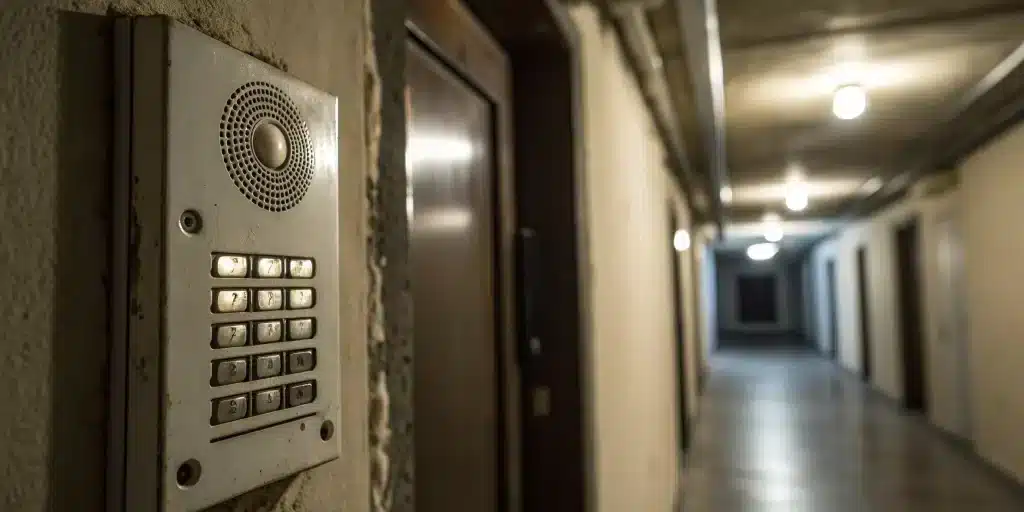
If your intercom is not working, the fastest way to solve it is to identify what failed first: power, wiring, audio, video, door release, or the app/network connection. This guide stays focused on that repair flow so you can check the most common faults in order, narrow the problem by intercom type, and know when it is time to stop troubleshooting and call for help.
Key Takeaways
- Pinpoint the Problem Yourself First: Many intercom issues have simple fixes. Before making a call, check that the system has power, inspect for loose connections, and test the audio, video, and door release to identify what’s actually failing.
- A Simple Maintenance Routine is Key: Keep your intercom reliable by performing regular checks. A quick monthly test of all functions, routine cleaning of the camera and components, and keeping software updated will prevent most common failures.
- Recognize When It’s Time for Help or an Upgrade: If your troubleshooting efforts don’t solve the problem, or if you’re dealing with recurring issues, it’s time to call a professional. An expert can safely fix complex problems or advise if upgrading to a modern system is the smarter long-term investment.
Why Isn’t My Intercom Working?
It’s incredibly frustrating when your intercom stops working, especially when you’re expecting a guest or a package. Suddenly, a tool that’s meant to provide convenience and security becomes a source of stress. Most of the time, the issue can be traced back to a few common problems that disrupt the system’s ability to communicate. Understanding what might be going wrong is the first step toward getting it fixed and restoring that peace of mind.
Common Reasons Your Intercom Fails
When your intercom starts acting up, the problem usually isn’t a mystery. More often than not, it comes down to a handful of common culprits. Faulty wiring is a frequent issue; over time, wires can degrade or become loose, disrupting the signal and causing that annoying static or humming sound. Another major factor is the power supply. If the system isn’t getting consistent, clean power, it simply can’t function correctly. Sometimes, the problem is even simpler: interference from other electronic appliances in your home or building can scramble the signal. Identifying the root cause is key to finding the right solution for your security systems.
Signs Your Intercom Needs a Fix
You’ll usually notice some clear red flags when your intercom is on the fritz. The most obvious signs are audio and video problems—maybe you can’t hear the person at the door, they can’t hear you, or the video feed is glitchy or completely dark. Another major warning sign is a non-responsive door release. If you’re pressing the button and the door isn’t unlocking, it’s more than an inconvenience; it’s a security issue. These problems often point to neglected maintenance. Small issues like damaged wiring or a failing power supply can become major headaches if they aren’t addressed, so it’s best to act as soon as you notice something is off.
Your Intercom Troubleshooting Checklist
When your intercom stops working, it’s easy to assume the worst. But before you panic, take a deep breath. Many common intercom problems have surprisingly simple solutions you can identify yourself. Walking through a basic troubleshooting checklist can help you pinpoint the issue, and you might even be able to fix it without calling for backup. This process can save you time, frustration, and the cost of a service call for something as simple as a loose plug.
Think of this as a preliminary diagnosis. By checking the most common culprits first—power, wiring, audio/video, and the door release—you can gather important information. Even if you do end up needing a professional, you’ll be able to give them a clear idea of what’s going on, which helps them work more efficiently. Let’s walk through the four key areas to check when your intercom is on the fritz.
Check the Power Supply and Connections
Let’s start with the basics. It might sound obvious, but a lack of power is one of the most frequent reasons an intercom system fails. Before you investigate anything else, confirm that the main unit is receiving electricity. Check if it’s plugged in securely and look for any indicator lights that show it’s on. Next, head to your electrical panel and see if the circuit breaker connected to the intercom has been tripped. If it has, flip it back on. Sometimes, power surges or outages can cause a breaker to trip without you realizing it. A quick check of the power supply and its connections is the essential first step that often solves the problem right away.
Inspect the Wiring and Components
If the power seems fine, your next step is to look at the system’s wiring. Over time, wires can become loose, frayed, or damaged, which can disrupt the signal and cause static, humming sounds, or a total system failure. Start with a visual inspection. Look for any obvious signs of wear and tear on the cables connected to both the indoor and outdoor units. Pay close attention to any exposed wiring, especially on exterior components that are subject to weather. While you shouldn’t attempt any major electrical work yourself, identifying a loose connection or visibly damaged wire can help you understand the root of the problem. A secure, intact wiring system is crucial for your security systems to function correctly.
Test the Audio and Video
An intercom isn’t much good if you can’t see or hear who’s at your door. Test the system’s core functions by having someone press the button on the outdoor unit while you listen and watch from the inside. Can you hear them clearly, or is the sound muffled and full of static? Can they hear you? If you have a video intercom, check the quality of the feed. Is the picture clear, or is it flickering, distorted, or completely blank? Sometimes, a dirty camera lens or a low volume setting is all that’s wrong. Testing these functions helps you narrow down whether the issue is with the entire system or just a specific audio or video component.
Verify the Door Release
For many people, the most important feature of an intercom is the ability to unlock the door remotely. If your audio and video are working but the door release isn’t, the problem likely lies with the locking mechanism or its connection to the intercom. Press the door release button and listen carefully. Do you hear a buzzing or clicking sound at the door? If you don’t hear anything, it could signal a wiring or power issue specific to the release function. If you hear a sound but the door remains locked, the problem might be with the electric strike or magnetic lock itself. This is a common point of failure, and fixing it is essential for both convenience and security, sometimes requiring professional door repair and installation.
How to Fix Common Intercom Issues
So, your intercom is on the fritz. Before you panic or assume the worst, let’s walk through a few common issues that you might be able to fix yourself. Many intercom problems stem from simple, easy-to-solve glitches. By following these steps, you can diagnose what’s going on and, hopefully, get your system back up and running in no time. Let’s get started.
Solving Power Problems
More often than not, an intercom that seems completely dead is just having a power issue. The first step is always the simplest: check the power supply. Is the main unit plugged in securely? Head to your circuit breaker and see if anything has been tripped. A power failure might seem like a small inconvenience, but it can compromise your building’s security. If you’ve checked the basics and the power is still out, there might be an issue with the internal wiring or the power adapter itself. These problems are best left to a professional who can safely handle your building’s security systems and restore power without risk.
Fixing Audio and Video Glitches
Are you dealing with annoying static, a constant humming sound, or a video feed that’s gone dark? These glitches can make communication impossible and are often caused by faulty wiring or a loose connection. Start by inspecting the wires leading to your indoor and outdoor units. Do you see any that are frayed, pinched, or disconnected? Sometimes, simply tightening a loose wire can clear up the audio or restore the video. If the problem persists after a visual check, it could point to a more complex internal issue. When you need a fast fix for your building’s security, our emergency locksmith team can diagnose and repair the problem quickly.
Repairing Bad Connections
Over time, the connections in your intercom system can degrade due to weather, wear, and tear. A bad connection can cause all sorts of intermittent problems, from a non-responsive door release to spotty audio. Take a close look at the terminal blocks where the wires connect to your devices. Are they corroded or loose? Gently wiggling the wires can sometimes reveal a poor connection. Identifying these issues early is key to preventing a complete system failure. For businesses with more complex setups, ensuring all connections are solid is crucial for daily operations. Our commercial locksmith services include thorough inspections and repairs to keep your system reliable.
How to Reset Your System
Sometimes, your intercom just needs a quick reboot. Like any piece of technology, its internal software can run into a glitch. The easiest way to fix this is with a system reset. Check your device for a small, recessed reset button—you may need a paperclip to press it. If you can’t find one, try power-cycling the system. Unplug the main unit from its power source, wait about a minute, and then plug it back in. This simple step can often resolve temporary bugs. If a reset doesn’t solve the problem, it’s a clear sign that you’re dealing with a hardware failure or a more serious issue that requires professional attention for your residential locksmith needs.
A Guide to Different Intercom Types
Not all intercoms are created equal, and the fix for one might not work for another. Understanding what type of system you have is the first step toward a successful repair. Whether your building has an old-school wired setup or a new smart intercom, each has its own common quirks. Let’s break down the troubleshooting steps for the most common types you’ll find in NYC apartments and businesses, so you can get your system back online.
Troubleshooting Wired Systems
Wired intercoms are the classic, reliable workhorses of building security. Because they’re physically connected, the problem often lies in the wiring itself. If you’re hearing a constant humming, static, or nothing at all, there’s a good chance a wire is loose, frayed, or damaged. Start by visually inspecting any accessible wiring for obvious signs of wear and tear. Also, check the power supply to make sure the unit is receiving electricity. Tracing a faulty wire through walls is a complex job, so if a quick inspection doesn’t reveal the issue, it’s wise to call for professional help with your building’s security systems.
Troubleshooting Wireless Systems
Wireless intercoms offer a sleek, modern alternative, but they come with their own set of challenges. Since they rely on radio frequencies or Wi-Fi, signal interference is a common culprit. Is your router too far away, or are there thick walls blocking the signal? Try moving your router closer or removing obstructions. Also, don’t forget the basics: check the batteries. Many wireless units run on battery power, and a simple swap might be all you need. Finally, if your system connects to an app, check for software updates. Manufacturers often release updates to fix bugs that could be causing your problem.
Troubleshooting Video Intercoms
When your video intercom’s screen goes blank or gets fuzzy, it can feel like a major security breach. Often, the fix is simpler than you think. First, check the camera lens—is it dirty, foggy, or blocked by a spiderweb? A quick wipe with a soft cloth can make a world of difference. If the picture is glitchy or nonexistent, the issue might be with the connection transmitting the feed. For both residential and commercial properties, ensuring all components are properly connected is key. If you’ve checked the basics and the video is still out, there could be an internal hardware problem that requires an expert.
Troubleshooting Smart Intercoms
Smart intercoms that let you see visitors and unlock your door from your phone are incredibly convenient—until they stop working. Since these systems are connected to the internet, your first troubleshooting step should always be to check your Wi-Fi. Is your internet down? Try rebooting your router. If the internet is working for other devices, the issue might be the intercom’s connection to the network. Restarting the intercom unit itself can often re-establish the connection. If features like remote unlocking are failing, it’s a sign that the system is offline and needs professional attention from a commercial locksmith who specializes in these advanced setups.
When to Call a Professional Locksmith
While it’s empowering to fix things yourself, some jobs are best left to the experts, especially when your property’s security is on the line. If you’ve gone through the troubleshooting checklist and your intercom is still on the fritz, it’s time to call in a professional. A skilled technician can diagnose the problem quickly and safely, preventing minor glitches from turning into major security risks. Trying to tackle complex electrical work without the right training can lead to bigger, more expensive problems down the road.
Calling a professional isn’t giving up; it’s making a smart decision to protect your home or business. Experts have the specialized tools and experience to handle everything from simple wiring fixes to complex component replacements. They can ensure your security systems are working correctly, giving you peace of mind. When you’re dealing with persistent issues, exposed wires, or a system that’s completely unresponsive, a professional locksmith is your most reliable solution for getting things back in working order.
Signs You Need an Expert
You’ve checked the power, rebooted the system, and inspected for obvious damage, but the intercom still won’t cooperate. That’s a clear sign the problem runs deeper than a simple fix. If you hear constant buzzing, see a blank video screen, or can’t get the door release to work, the issue is likely with a faulty internal component that needs a trained eye. Exposed or frayed wires are another major red flag that requires immediate professional attention. Don’t risk making things worse; an expert can diagnose the problem accurately and get your system back online safely and efficiently.
Safety First: Why DIY Can Be Risky
Your intercom is more than a convenience—it’s a critical part of your building’s security. A botched DIY repair can do more than just fail to fix the problem; it can create new dangers. Incorrectly handling wiring can lead to short circuits, permanently damaging the system or even creating a fire hazard. More importantly, a malfunctioning door release mechanism can leave your property vulnerable to unauthorized entry. When you’re unsure about the repair, calling a professional emergency locksmith protects your property, your tenants, and your investment from unnecessary risks.
Understanding Professional Repair Costs
It’s natural to worry about the cost of a professional service call, but it’s often the most cost-effective choice in the long run. A technician can pinpoint the exact source of the problem, preventing you from wasting money on the wrong parts. They can also identify underlying issues that could cause future failures, saving you from repeat repair bills. Think of it as an investment in your security. The cost of a professional repair is minimal compared to the potential expense of replacing an entire system damaged by a DIY mistake or dealing with a security breach.
After the Repair: Prevent Repeat Problems
Once the intercom is working again, a little preventive care helps keep small faults from turning into another lockout or missed delivery problem. Test the core functions regularly, keep exterior components clean and dry, and update smart-system software when applicable. If failures keep repeating, treat that as a sign the system needs a deeper repair or replacement plan rather than another quick reset.
Related Articles
- Access Control System Installation: A Complete Guide
- A Step-by-Step Guide To Access Control Installations
- Access Control Installation: A Step-by-Step Guide
- Does Your Home Security Need An Upgrade? 5 Signs
- 5 Signs You Need A Home Security Upgrade
Frequently Asked Questions
What’s the very first thing I should do if my intercom stops working? Before you assume the worst, always start with the power source. It’s the most common culprit and the easiest to check. Make sure the main unit is securely plugged in and then take a look at your circuit breaker. A tripped breaker can happen for many reasons, and simply flipping it back on might solve the entire problem in seconds.
How do I know if I can fix the intercom myself or if I need to call a professional? You can handle simple troubleshooting like checking the power, rebooting the system, or cleaning the camera lens. However, if you’re dealing with persistent issues like constant buzzing, a non-responsive door release, or if you see any exposed or frayed wiring, it’s time to call an expert. Working with electrical components can be risky, and a professional can diagnose and fix the root cause safely.
Why is my intercom making a humming or static noise? That annoying humming or static sound almost always points to a problem with the wiring. It could be a loose connection, a frayed wire, or even interference from another electronic device nearby. You can do a quick visual check for any obvious damage to the cables, but if the problem isn’t immediately apparent, it likely requires a technician to trace the connection and find the fault.
My intercom is really old. Is it better to repair it again or just replace it? If you’re calling for repairs frequently, it’s probably more cost-effective in the long run to upgrade. Constantly fixing an old system can add up, and you’re still left with outdated technology. A modern system offers better reliability, clearer audio and video, and smart features like smartphone integration, which can be a significant improvement for your property’s security and convenience.
How often should I be checking my intercom system to prevent problems? A quick check every month or two can make a huge difference. You don’t need to do a deep dive, just a simple test of the core functions. Ring the bell, check the audio and video quality, and make sure the door release button works as it should. This simple habit helps you catch small issues before they turn into a complete system failure that requires an emergency call.
Need professional intercom help in NYC? Contact Golden Key Locksmith NYC for intercom repair services or access control system service. Available 24/7 across Manhattan and all NYC boroughs.
Related: How to Use an Apartment Intercom