Most intercom system repair comes down to four checkpoints: power, wiring, the station hardware (speaker, microphone, buttons, handset), and the door-release circuit. Work through them in that order and you’ll either fix the problem or know exactly what to tell a technician. This is our full repair pillar, organized by system type — buzzer-only, video, telephone-entry, and smart IP — because the fix that saves a 1960s Brooklyn buzzer panel is not the fix for a DoorBird on a Manhattan condo. If you want to start from the symptom instead (“static”, “no buzz”, “one-way audio”), use our intercom troubleshooting guide, organized symptom by symptom; if you’re a renter who just needs to know what to check before calling the super, start with the quick triage checklist for an intercom that’s not working.
Need it fixed rather than diagnosed? Golden Key Locksmith NYC repairs and installs intercoms in Manhattan, Brooklyn, Queens, and The Bronx — see our intercom repair and installation service or call (212) 204-1655.
The four checkpoints in every intercom repair
- Power. A completely dead system is a power problem until proven otherwise. Check the circuit breaker first, then the transformer or power supply feeding the panel. Flipping a tripped breaker is the single most common “repair” there is.
- Wiring. Intermittent behavior — works sometimes, static other times — points to degraded or loose wiring, especially in older buildings. Look for wires that have popped off terminals; tracing faults inside walls is technician work.
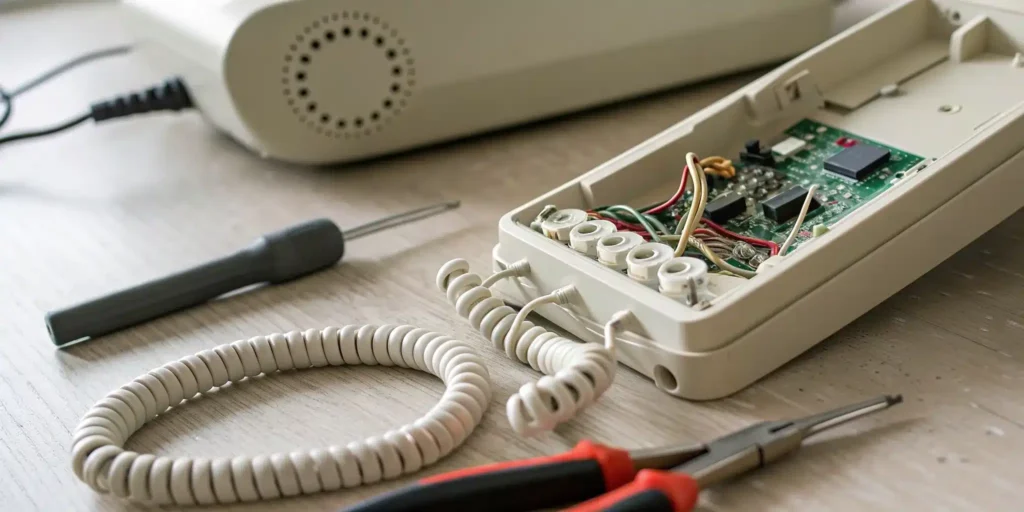
- Station hardware. Muffled audio usually means dust in the speaker or mic grilles; sticky buttons respond to careful cleaning with isopropyl alcohol on a swab; a handset that crackles when moved has a worn cord.
- Door release. If you can talk but can’t buzz anyone in, the fault is in the release button, the wiring run to the door, or the electric strike itself — the one part of the system that’s lock hardware, not electronics.
Repairing buzzer and audio-only intercoms
If your buzzer releases the door but the hardware itself is failing, see our guide to intercom buzzer door-release systems.
The classic walk-up buzzer is the simplest system and the most repairable. It’s a wired loop: entry panel, apartment stations, power supply, and an electric strike. Common failures and fixes:
- No sound at all: breaker, then power supply. These systems run on low-voltage transformers that quietly die of old age.
- Static or low volume: clean the speaker and microphone grilles with a dry brush or compressed air, check the volume wheel, and inspect visible wiring at the station. Decades of paint over the entry panel grille is a genuinely common culprit in older NYC buildings.
- One apartment dead, others fine: the fault is in that unit’s station or its branch wiring, not the main panel — useful information that halves the diagnosis time.
- Door won’t buzz open: listen at the door while someone presses the release. No click means the signal isn’t arriving (button or wiring); a click without release means the strike is jammed or misaligned — a job for door repair rather than electronics work.
Repairing video intercoms
Video systems add a camera and monitor to the same skeleton, which adds failure modes: a working voice channel with a black screen, a grainy or backlit image, or a frozen picture. Check the monitor settings and camera lens first — grime and glare account for more “broken cameras” than electronics do. If audio works but video doesn’t, the video pair in the wiring run or the camera module is the suspect. One-way audio (you hear them, they can’t hear you) is almost always a blocked or failed microphone on your inside station, not the entry panel. Video hardware from defunct brands is often the trigger for a replace-instead-of-repair decision, because matching monitors for discontinued systems can cost more than a modern replacement.
Repairing telephone-entry systems
Telephone-entry systems — the panels that dial your phone so you can press a key to release the door — fail in their own ways: the panel loses its phone line or cellular signal, the directory programming is lost after a power cut, or the relay that triggers the strike wears out. If callers reach you but your keypress won’t release the door, the problem is usually the relay or strike, not your phone. If the panel won’t dial at all, it’s the line/cellular service or the panel’s controller. These systems are programmable, so a repair visit often includes reprogramming the directory and testing every unit’s dial-out — worth asking for explicitly.
Repairing smart and IP intercoms (DoorBird and similar)
Smart video intercoms like DoorBird move the “wiring” into your network, so repair starts there: is the unit powered (many run on PoE — one cable for power and data), is it on the network, and has the app been updated? A DoorBird intercom system repair call, in our experience, is more often a network or configuration fix than a hardware one — router changes and Wi-Fi password updates strand these devices constantly. Genuine hardware faults (dead camera, failed relay) are handled by module replacement. Because these units also control the door strike, a licensed access-control installer should handle anything past app-level fixes.
The Five Intercom Symptoms, Diagnosed
Symptom 1: Nobody Can Buzz Your Apartment
What it usually means: if visitors press your button at the lobby panel and nothing rings upstairs, the fault is almost always the ringer in your apartment station, the button contact at the lobby panel, or the wiring pair running up the riser to your unit. In pre-war buildings and older walk-ups those riser wires can be decades old — one corroded terminal can silence a single apartment while every other line works fine.
What you can check:
- Volume and mute. Confirm the volume dial hasn’t been turned down or a privacy switch flipped — more common than any wiring fault.
- Have someone press your button while you listen at your station.
- Look at the lobby button. A stuck, wobbly, or painted-over button stops making contact long before anything inside fails.
- Find out if it’s just you. If no apartment can be buzzed, suspect the panel amplifier or the system power supply — a building-level failure.
Building or tenant? The lobby panel, risers, and shared power supply are building equipment; in a rental that repair belongs to the owner. When to call: if your station has power and volume but won’t ring, the fault sits in wiring you shouldn’t open — report it, or use an access-control and intercom service if the system is yours.
Symptom 2: You Can Hear Them, But They Can’t Hear You
What it usually means: one-way audio points to a failed microphone or speaker on one side, a worn talk button, or one broken leg of the wiring pair. In NYC the most common culprit is simpler: a mic grille clogged by grime or layers of paint on a panel that’s been painted around for years.
What you can check: clean the grilles with a soft dry brush or compressed air, press the talk button firmly (worn contacts need pressure), and if a handset crackles when you move it, the coiled cord has worn out — a cheap, easy replacement. Building or tenant? The lobby panel is the building’s; the station in a rental is usually the landlord’s fixture too. When to call: if cleaning and the cord don’t restore two-way audio, a component or wiring leg needs proper testing.
Symptom 3: The Door Release Is Dead
What it usually means: this symptom matters most because it affects building security. Your release button sends a signal down to an electric strike in the entry-door frame, and where the signal dies tells you what’s wrong. Have a helper stand at the entry door while you press the release:
- You hear the buzz but the door won’t open: the strike is energizing but binding — on heavily used NYC entry doors that’s usually door sag or misalignment, not the intercom at all.
- No sound at the door: the release circuit is dead — a failed button contact, a wiring break, or the strike’s power.
- No apartment’s release works: the shared transformer or power supply driving the strike has likely failed.
Building or tenant? The entry-door strike and its circuit are building equipment in any multi-unit property. When to call: immediately — and don’t prop the door or tape the latch as a workaround, because that leaves the whole building unsecured.
Symptom 4: Static, Humming, or Crackling on the Line
What it usually means: persistent noise almost always traces to degraded or loose wiring, moisture in the outdoor panel, or interference. Once a panel’s weather seal fails, rain reaches the terminals and corrosion produces static that comes and goes with the weather.
What you can check: note whether the noise worsens after rain (a strong sign of moisture in the panel), and wiggle the handset cord to rule out wear. Building or tenant? Outdoor panels and in-wall wiring are the building’s. When to call: a constant hum is an early warning — the fault that hums today usually kills the line later.
Symptom 5: The Video Screen Is Blank or Glitching
What it usually means: a dark, frozen, or rolling picture comes down to the camera at the door, the monitor inside, or the connection between them — plus, on smart intercoms, the Wi-Fi network or a failed app update.
What you can check: gently clean the camera lens (dirt and condensation blank out more screens than failed hardware), confirm the monitor has power, and for smart systems reboot the router, update the app, and power-cycle the unit. Building or tenant? A building-wide video system is the building’s; a smart intercom you installed is yours. When to call: if audio works but video stays dark after cleaning and a reboot.
Repair or replace the intercom system?
Repair wins when the system is under roughly 15 years old, parts are still made, and the failure is isolated — one station, one strike, one power supply. Replacement wins when repairs are recurring, parts are discontinued, or the repair quote passes about half the cost of a new system — when replacement is the answer, our professional intercom installation and repair in NYC handles the changeover. Replacing an intercom system is also the natural moment to upgrade: modern video and smartphone-connected systems fold into a building’s broader access control system, adding keyless entry and visitor logs alongside the fixed intercom. If your building is weighing that jump, we’ll give you an honest read on whether the existing wiring can be reused — it often can.
Intercom system maintenance: the cheap insurance
Intercom system maintenance is unglamorous and effective: wipe the stations and entry panel with a dry cloth (never spray liquid at them), keep grilles clear of dust and paint, test the full loop monthly — call, answer, buzz, confirm the door releases — and fix small faults while they’re small. In buildings, log every unit’s test results; a slow spread of dead stations is how wiring problems announce themselves early.
Who repairs intercoms in NYC?
Intercom repair sits between electrical work and lock hardware, which is why locksmiths who do access control handle it. Golden Key Locksmith has repaired and installed intercoms across Manhattan, Brooklyn, and Queens for over 40 years — buzzer panels, video systems, telephone entry, and smart IP units — from our showroom at 328 Columbus Ave on the Upper West Side (NYC DCA license #2065742). For home intercom repair or a building-wide system, call (212) 204-1655 and we’ll tell you over the phone whether it sounds like a fix or a replacement. Either way, our intercom repair service handles the work, whoever installed the system originally.
The Message to Send Your Super or Management
Send it in writing — text or email — so there’s a dated record. Include your unit number, the exact symptom from your function test, when it started, whether neighbors are affected, and permission to enter if the repair needs it. Feel free to copy this:
“Hi — the intercom in apartment 4B stopped working on Tuesday. Visitors press the button downstairs and it doesn’t ring upstairs, and the door release doesn’t respond. My neighbor in 4A says hers works fine, so it seems to be just my line. Please let me know when it can be repaired — you have my permission to access the unit if needed.”
That one paragraph does three things: it proves you did the triage, it points the technician at the right part of the system, and it starts the clock on a documented repair request.
Frequently asked questions
What’s the first thing to check when an intercom stops working?
The circuit breaker, then the power supply. A fully dead system is a power problem far more often than a failed panel — and it’s the only fix that costs nothing.
Can I fix an intercom system myself?
The safe DIY layer: breaker, cleaning grilles and buttons, volume controls, reseating a handset cord, checking visible connections. Stop at anything inside walls, anything sparking or smelling burnt, and the door-release circuit — a botched strike repair leaves your entrance unsecured.
Why can I hear visitors but they can’t hear me?
That one-way audio pattern points at the microphone on your inside station. Clean the mic grille with a dry brush or compressed air before assuming an electrical fault.
Who is responsible for intercom repair in a rental?
In NYC rentals the building system is the landlord’s responsibility; your in-unit station may be a gray area. Document the fault, report it, and see our renter’s intercom triage guide for what to check before you report.