

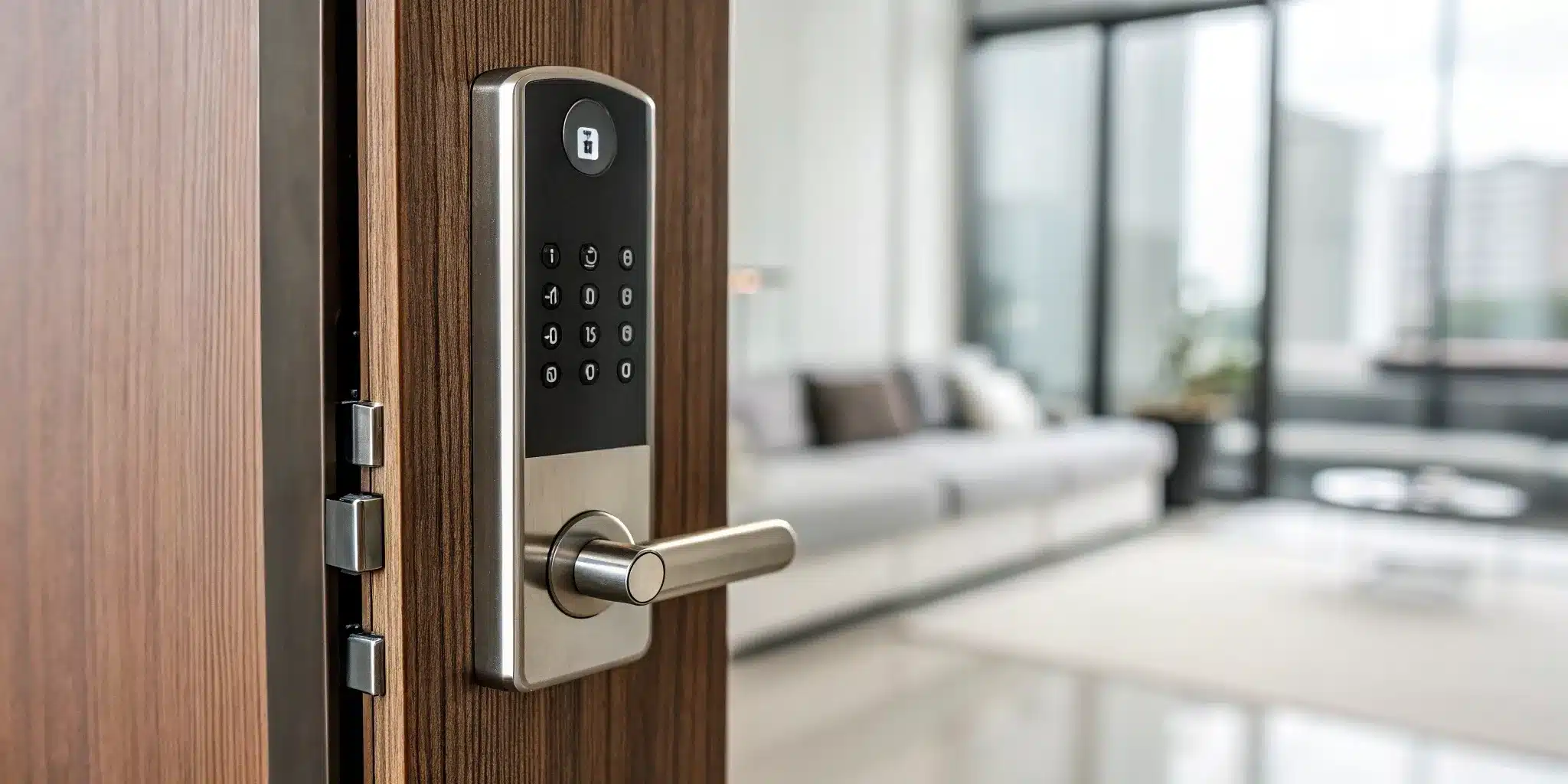
That frantic, pocket-patting search for your keys is a feeling we all know too well. Or maybe it’s the low-grade anxiety of wondering if you remembered to lock the door on your way out. Traditional locks have served us for centuries, but they come with limitations. You can lose your keys, forget to lock up, or have to make spare copies for family and service providers. An electronic door lock with remote control changes all of that. It’s not just about the convenience of keyless entry; it’s about giving you complete oversight of your home’s main access point. This guide will walk you through everything you need to know, from core security features to smart home integration, so you can find the perfect lock for your home.
Key Takeaways
- Focus on Core Security First: Beyond the tech, ensure your lock has strong digital encryption, a durable physical build to resist tampering, and a reliable backup entry method like a traditional key.
- Match Features to Your Lifestyle: Identify what you truly need, whether it’s temporary codes for guests, hands-free entry, or full smart home integration. This helps you find the right balance of convenience and cost without paying for extras you won’t use.
- Plan for Power and Installation: Smart locks are designed with failsafes like low-battery warnings and manual key overrides so you’re never stranded. Proper installation is just as crucial, so choose between a DIY setup or professional help to ensure everything works perfectly.
What Are Electronic Door Locks with Remote Control?
Think of an electronic door lock with remote control as a major upgrade to your standard lock and key. Instead of fumbling for a metal key, you can secure and access your door using your smartphone, a keypad, or another electronic device. These smart locks give you the power to control your door security right from your phone, whether you’re on the couch or across town. They come in various forms, including deadbolts and lever handles, making them a versatile option for your front door, patio, or office. As part of a modern home or business security plan, they offer a new level of convenience and oversight that traditional locks just can’t match.
How They Work
At their core, electronic door locks connect to your home’s Wi-Fi or your phone’s Bluetooth, allowing them to receive commands wirelessly. This connection is what makes remote access possible. Most smart locks can be opened in several ways: with a smartphone app, a unique code punched into a keypad, or even a traditional key as a backup. More advanced models incorporate other methods like smart cards, key fobs, or biometric features such as fingerprint scanners. This multi-faceted approach ensures you can always get in, even if you forget your phone or the power goes out.
Different Types of Remote Access
The beauty of these locks is the flexibility they offer. You’re no longer tied to a single physical key. Many models let you open your door in several ways, so you can choose what works best for you in any situation. You could use your fingerprint for quick entry when your hands are full, assign a temporary keypad code to a visiting friend or contractor, or simply tap a button in an app on your phone to let a family member in. This variety means you can manage access to your property securely and conveniently, without ever having to hand out a spare key again.
The Pros and Cons
Smart locks offer incredible freedom and control. You can lock your door from your office, let the dog walker in during your lunch break, and get a notification when your kids get home safely—all from your phone. The keyless convenience means you’ll never have to call an emergency locksmith because you’re locked out again. You can also grant temporary access to guests and see a log of who has entered and when, which is great for both homes and businesses.
However, it’s important to be aware of the potential downsides. Because they are connected devices, these systems can be vulnerable to hacking, device failure, or data theft if not managed properly. A dead battery or a Wi-Fi outage could also pose a problem if you don’t have a backup plan. Choosing a high-quality lock and ensuring it’s installed correctly are key steps to minimizing these risks and keeping your property secure.
Key Security Features to Look For
When you’re choosing an electronic lock, it’s easy to get caught up in the cool tech features. But at the end of the day, a lock’s main job is to keep your home or business secure. Not all smart locks are built the same, so it’s important to look past the flashy marketing and focus on the core security features that truly matter. A great electronic lock blends cutting-edge convenience with rock-solid protection.
Think of it this way: you want a lock that’s smart enough to make your life easier but tough enough to deter potential intruders, both physical and digital. From how you get in the door to how the lock protects your data, every detail counts. Here are the essential security features to look for to ensure your new lock provides real peace of mind.
Flexible Entry: Codes, Keys, and More
One of the biggest perks of an electronic lock is ditching your keys, but having multiple ways to get in is a huge security advantage. The best models offer several entry methods. Most can be opened with a smartphone app, a keypad code, or a traditional key as a backup. Some even use biometrics like fingerprints for an added layer of security. This flexibility means you’re never stuck if your phone battery dies or you forget a code. It also lets you grant temporary access to guests or service providers without handing over a physical key that can be lost or copied.
Digital Security and Encryption
Since your lock is connected to the internet, its digital security is just as important as its physical strength. Look for locks that use advanced encryption, like AES 128-bit or 256-bit. This is the same technology banks use to protect financial data, and it makes it extremely difficult for anyone to hack into your system. A lock without strong encryption is a weak link in your home’s security. Investing in robust security systems means ensuring every component, especially your lock, is digitally protected against unauthorized access.
Tamper-Proof Designs
A smart lock isn’t much good if it can be easily broken or bypassed with physical force. Pay close attention to the lock’s construction. Is it made from durable materials like solid steel? Does it have features that protect against common break-in methods like drilling, bumping, or picking? Some models even include built-in alarms that sound if someone tries to tamper with the lock. Don’t let smart features distract you from fundamental mechanical security; the lock should be just as tough as a high-quality traditional deadbolt.
Real-Time Alerts and Activity Logs
Want to know exactly who is coming and going from your property? Many electronic locks offer real-time alerts and detailed activity logs. You can get a notification on your phone the moment the door is unlocked, which is perfect for knowing when your kids get home from school or a package is delivered. The activity log provides a timestamped history of every entry, so you can see which codes were used and when. This feature gives you a complete overview of your home’s security, even when you’re not there.
Backup Access for Emergencies
Technology is great, but it’s not always foolproof. What happens if your Wi-Fi goes down, the power goes out, or the lock’s batteries die unexpectedly? That’s why having a reliable backup plan is essential. Always choose a lock that includes a manual override, usually a traditional keyhole. This ensures you can always get into your home, no matter what. If you ever find yourself in a bind, knowing you have a physical key—or a reliable emergency locksmith on call—can make all the difference.
The Best Electronic Door Locks with Remote Control
With so many electronic locks on the market, picking the right one can feel like a huge task. You want something secure, reliable, and easy to use, but the options range from simple keypads to complex systems that integrate with your entire smart home. To make it easier, we’ve broken down our favorites based on years of hands-on experience installing and servicing locks for New Yorkers. We’ll walk you through the best options across different price points so you can find the perfect fit for your home and budget.
Our Top Picks at Golden Key Locksmith NYC
After installing countless smart locks across Manhattan, Brooklyn, and Queens, we’ve learned what truly works for city living. The “best” lock really depends on your specific needs—what works for a brownstone in Brooklyn might not be the right fit for a high-rise apartment in Manhattan. That’s why we’ve organized our recommendations into three clear categories: high-end, mid-range, and budget-friendly. This way, you can focus on the options that match your security goals and budget. Our team is always ready to help you choose and provide professional installation for any residential locksmith needs.
Best High-End Smart Locks
If you’re looking for top-of-the-line security with all the bells and whistles, high-end smart locks are the way to go. These models, often from brands like Schlage and Yale, offer robust features like built-in alarms, activity monitoring that tells you who is coming and going, and seamless integration with your smart home systems. You can control your door from anywhere using your phone, grant temporary access to guests, and enjoy the peace of mind that comes with superior build quality and advanced encryption. These locks are an excellent investment for anyone who wants maximum control and security for their home or commercial property.
Great Mid-Range Options
You don’t need to spend a fortune to get fantastic remote-control features. Mid-range smart locks from trusted brands like Kwikset and August strike the perfect balance between price and performance. These locks typically include essentials like keypad entry, Bluetooth connectivity, and the ability to connect to Wi-Fi for remote access. Many are compatible with voice assistants like Alexa and Google Assistant, allowing you to lock your door with a simple command. They provide a significant security upgrade from a standard deadbolt, offering convenience and control that makes daily life a little easier without breaking the bank.
The Best Budget-Friendly Locks
Getting started with smart lock technology is more accessible than ever. Budget-friendly options provide core features like remote keyless entry and auto-locking capabilities at a very approachable price point. While they may not have the advanced smart home integrations of their high-end counterparts, they deliver on the promise of convenience and improved security. Look for models that are weatherproof and have solid security ratings. These locks are a great choice for interior doors, rental units, or for anyone wanting to test out smart technology. And remember, no matter what lock you have, if you find yourself in a jam, our emergency locksmith team is available 24/7.
Connecting Your Lock to Your Smart Home
A smart lock does more than just get you in the door without a key; it acts as the gatekeeper for your entire smart home. When you connect your electronic lock to your home’s ecosystem, you create a seamless and more secure living experience. Imagine your door locking automatically when you leave, or your lights turning on the moment you arrive home. This level of integration is what transforms a simple gadget into a core part of your home’s intelligence.
Connecting your lock allows it to communicate with other smart devices, from voice assistants to lighting systems. This creates routines that simplify your day and add layers of security. For example, you can set up a “goodnight” scene that locks your doors, turns off the lights, and adjusts the thermostat with a single command. It’s about making your home work for you, and it all starts at the front door. Integrating these locks is a key part of modern security systems that give you total control over who enters your home.
Control Your Lock from an App
One of the biggest perks of an electronic lock is the ability to control it from your smartphone. Instead of fumbling for keys, you can lock or unlock your door with a simple tap in an app. This isn’t just for when you’re standing on your doorstep—you can do it from anywhere with an internet connection. Whether you’re at the office and can’t remember if you locked the door or on vacation and need to let a neighbor in, you have complete control. This feature offers incredible peace of mind, as you can check your door’s status anytime. These locks are available for any entry point, from your front door to the patio, and can be a great addition to your residential locksmith security plan.
Use Voice Commands with Alexa or Google
If you already use a voice assistant like Amazon Alexa, Google Assistant, or Apple HomeKit, you’ll love the convenience of controlling your lock hands-free. When your arms are full of groceries, you can simply say, “Hey Google, unlock the front door.” Tucked into bed for the night? A quick “Alexa, lock the doors” command secures your home without you having to get up. Many smart locks are designed to integrate smoothly with these popular platforms. This allows your lock to become part of your home’s automated routines, making daily tasks just a little bit easier and your home a lot more connected.
Integrate with Your Home Automation System
Beyond simple voice commands, a smart lock can become a central player in your home automation system. This is where your lock works in concert with other smart devices to create customized “scenes” or routines. For example, you can program a “welcome home” routine that unlocks the front door, turns on the entryway lights, and adjusts your thermostat to the perfect temperature the moment you arrive. Or, you could create a “goodbye” scene that locks the door, arms your security system, and turns off all the lights as you leave. This level of integration gives you incredible freedom and control, making your home feel more responsive and secure.
Manage Access for Guests and Family
Say goodbye to making spare keys. With a smart lock, you can grant access to friends, family, or service professionals without a physical key. Through the app, you can create unique digital keys and decide exactly when they can be used. For instance, you can give your dog walker access only between 1 PM and 2 PM on weekdays or provide a temporary code for a contractor that expires once the job is done. You can also see a log of who has entered and when, giving you a clear picture of all activity at your door. This feature is perfect for managing access for anyone, from houseguests to cleaners, all from your phone.
How to Keep Your Smart Lock Powered
One of the first questions people ask about smart locks is, “What happens if the battery dies?” It’s a totally valid concern—no one wants to be locked out of their own home because of a dead AA. The good news is that lock manufacturers have designed these devices with multiple backup plans in place. You’re far less likely to get stranded by a smart lock than you are to simply misplace your keys.
From long-lasting battery life to low-power warnings and manual overrides, these locks are built to be reliable. Let’s walk through the different ways your smart lock stays powered and what to do if you ever run into trouble, so you can feel confident about making the switch.
How Long Do Batteries Last?
You won’t be swapping out batteries every month. Most smart locks run on standard batteries that last anywhere from six months to two years. The exact lifespan depends on a few things, like how often you use the door, the quality of the batteries, and whether the lock is exposed to extreme temperatures. Wi-Fi-enabled locks also tend to use more power than Bluetooth-only models. To get the most out of your lock, use the high-quality lithium batteries recommended by the manufacturer. It’s also a great idea to set a recurring reminder on your calendar to check the battery level every six months, just to be safe.
Get Low-Battery Warnings in Advance
Your smart lock won’t just die without telling you. Nearly every model is designed to give you plenty of notice when the batteries are running low. You’ll typically receive notifications directly on your smartphone through the lock’s app, and many locks will also flash an indicator light or make a chirping sound when you use them. These warnings usually start weeks before the batteries are completely drained, giving you more than enough time to pick some up on your next grocery run. This feature ensures you can handle the maintenance on your own schedule, without any last-minute panic.
Backup Power Solutions
Let’s say you miss the low-battery warnings and find yourself with a completely dead lock. You still have options. Many electronic locks include a clever backup feature: a set of small terminals on the exterior of the lock. You can press a standard 9V battery against these terminals to give the lock a temporary jolt of power. This provides just enough juice for you to enter your code or use the app to get inside. It’s a simple but effective failsafe that prevents a dead battery from turning into a real lockout situation. Of course, if you ever find yourself stuck, our emergency locksmith team is always available 24/7.
Manual Overrides for Peace of Mind
For ultimate peace of mind, most smart locks still come with a keyhole. This manual override is your final line of defense against any tech glitches or battery failures. It means you can always use a traditional physical key to open your door, just like you would with a standard deadbolt. This feature is perfect for anyone who feels a little hesitant about going fully keyless. It combines the convenience of modern security systems with the proven reliability of a classic lock and key. So, even in a worst-case scenario, you’ll always have a way to get in.
Install and Maintain Your New Lock
Once you’ve picked out the perfect electronic lock, the next step is getting it on your door and making sure it runs smoothly. Proper installation is key to getting all the security benefits you’re paying for, and a little bit of maintenance goes a long way in preventing future headaches. Taking care of your lock ensures it will take care of you, providing reliable, key-free access for years to come. Here’s what you need to know to get started and keep your lock in top shape.
Should You DIY or Call a Pro?
Deciding whether to install your new lock yourself or call in a professional really comes down to the lock’s complexity and your comfort level with a screwdriver. Many simpler electronic locks are designed for easy DIY installation and come with clear, step-by-step instructions. However, if you’ve chosen a more advanced system that needs to integrate with your smart home hub, professional installation is the way to go. A pro ensures everything syncs up correctly from the start. If you’re not confident, our emergency locksmith team is always ready to help.
Set Up Your Lock for the First Time
If you’re tackling the installation yourself, the process usually starts with removing your old deadbolt. From there, you’ll attach the new mounting plate and adapter before securing the smart lock itself. It’s a pretty straightforward process, but it’s crucial to follow the manufacturer’s guide to the letter. Once the physical lock is in place, you’ll need to download the companion app on your phone and follow the prompts to connect the lock to your Wi-Fi and set up your access codes. Take your time with this part to make sure all the digital features are working.
Simple Maintenance Tips
Keeping your electronic lock working perfectly doesn’t take much effort. The most important thing is to keep an eye on the battery level. Most smart locks are battery-operated and will warn you when they’re running low, but it’s a good habit to check the app periodically. You’ll also want to keep the lock’s moving parts and keypad clean and free of any dirt or grime that could interfere with its operation. This small amount of upkeep can prevent you from needing a residential locksmith for a preventable issue.
Troubleshoot Common Issues
Even the best tech can have its off days. If your electronic lock suddenly stops responding, don’t panic. The first thing to check is always the battery—a fresh set often solves the problem instantly. Another common issue is misalignment between the lock and the door frame, which can prevent the bolt from extending correctly. For app or connectivity problems, try restarting the app or reconnecting the lock to your Wi-Fi. If you’ve tried these simple fixes and are still stuck, it might be time to call in a professional for a quick diagnosis.
How to Choose the Right Smart Lock
With so many options on the market, picking the perfect smart lock can feel overwhelming. The key is to focus on what matters most for your home and lifestyle. Think of it less as a tech gadget and more as a long-term upgrade to your daily security and convenience. A smart lock can simplify your routine, from letting in the dog walker while you’re at work to ensuring the door is always locked behind you. By walking through a few key considerations, you can narrow down the choices and find a lock that fits your needs perfectly, giving you peace of mind whether you’re at home or away.
Figure Out What You Really Need
First, think about how you live. Are you constantly juggling groceries and kids, making a hands-free entry option a lifesaver? Do you have a house cleaner who needs regular but restricted access? Or maybe you manage a rental property and need to change access codes frequently. Your daily routines will determine which features are essential. Smart locks come in various forms, from simple deadbolts that work with your existing handle to full handle sets. Understanding your primary goal will help you choose the right residential locksmith solution and avoid paying for features you’ll never use.
Check if the Lock Fits Your Door
Before you fall in love with a specific model, take a look at your door. Is the deadbolt separate from the handle? What are the measurements of your current hardware? Some smart locks are designed to replace only the interior and exterior components of an existing deadbolt, which is a relatively simple swap. Others are complete handle sets that require a more involved installation. It’s crucial to ensure compatibility to avoid any frustrating surprises. If you’re unsure about your setup, a professional can assess your door and recommend locks that will fit properly and provide maximum security for your door installation.
Consider Your Climate and Location
Here in New York City, our doors are exposed to everything from humid summer days and driving rain to freezing snow and ice. Not all electronic locks are built to withstand these extremes. Look for models with a strong weatherproof rating (often listed as an IP rating) to ensure the internal electronics are protected from moisture and dust. A durable finish will also resist rust and fading over time. Choosing a lock that’s built for our climate means you can count on it to work reliably, no matter what the weather throws at it, protecting your home year-round.
Balance Cost with Features
Smart lock prices can range from under $100 to over $400, and the cost usually reflects the features. More affordable models might offer basic Bluetooth connectivity and keypad entry. As you move up in price, you’ll find features like Wi-Fi for remote access from anywhere, fingerprint scanners, automatic locking and unlocking, and seamless integration with smart home systems like Alexa or Google Assistant. The best approach is to set a realistic budget and prioritize your must-have features. This will help you find a lock that provides great value without overspending on bells and whistles you don’t need for your home’s security system.
Review the Warranty and Support Options
A smart lock is an important piece of security equipment, so you want to know the company stands behind its product. Always check the warranty details before you buy—a one-year warranty is standard, but some brands offer longer coverage. Beyond the warranty, consider the availability of customer support. What happens if you have trouble with the app or the lock stops responding? And for those moments when tech support isn’t enough, it’s reassuring to know you have a local emergency locksmith available 24/7. A reliable product backed by strong support ensures your investment is protected.
Related Articles
- The Smart Guide To Commercial Electronic Door Lock Systems
- Smart Locks: Technology Meets Security
- Understanding Different Lock Types: A Quick Overview
- How To Choose Heavy-Duty Commercial Door Locks
Frequently Asked Questions
What happens if my Wi-Fi or power goes out? Will I be locked out? This is a super common concern, but you can relax. Most electronic locks are powered by internal batteries, so a power outage won’t affect them at all. If your Wi-Fi goes down, you won’t be able to control the lock remotely from your office, but you can still use other methods like Bluetooth on your phone when you’re nearby, the keypad, or a fingerprint scanner. And for total peace of mind, almost every smart lock includes a traditional keyhole as a final backup.
Are these locks actually safe from hackers? It’s smart to be cautious about digital security. Reputable smart lock brands use the same kind of advanced encryption that banks use to protect financial data, making it extremely difficult for someone to hack your lock. The key is to choose a well-known brand that prioritizes security, keep the lock’s software updated through its app, and use a strong, unique password for your account. When you stick to quality products, you get a lock that’s secure both physically and digitally.
Can I install a smart lock on any type of door? Most smart locks are designed to fit standard doors and replace existing deadbolts without much trouble. However, things like your door’s thickness, the alignment of the frame, and the space between the deadbolt and the handle can affect compatibility. Before you buy, it’s a good idea to measure your current hardware and check the requirements listed by the lock manufacturer. If you have an older or non-standard door, a professional can help determine the best fit.
Do I have to use my phone to open the door every single time? Not at all. While the smartphone app offers a lot of control, it’s just one of many ways to get in. Most people end up using the keypad for daily entry because it’s so quick and convenient. Many models also offer other options like fingerprint recognition or key fobs. Think of your phone as the command center for managing the lock, but your day-to-day entry can be completely phone-free.
How do I give temporary access to someone, like a cleaner or a guest? This is one of the best features of a smart lock. Through the lock’s app, you can easily create unique access codes for different people. You can set these codes to work only on specific days and times—for example, your dog walker’s code might only be active from 1 PM to 2 PM on weekdays. Once the person no longer needs access, you can delete their code instantly from your phone, giving you complete control without ever handing out a physical key.
Need professional help in NYC? Contact Golden Key Locksmith NYC for Smart Lock Installation NYC or Key Fob Entry Systems. Available 24/7 across Manhattan and all NYC boroughs.