

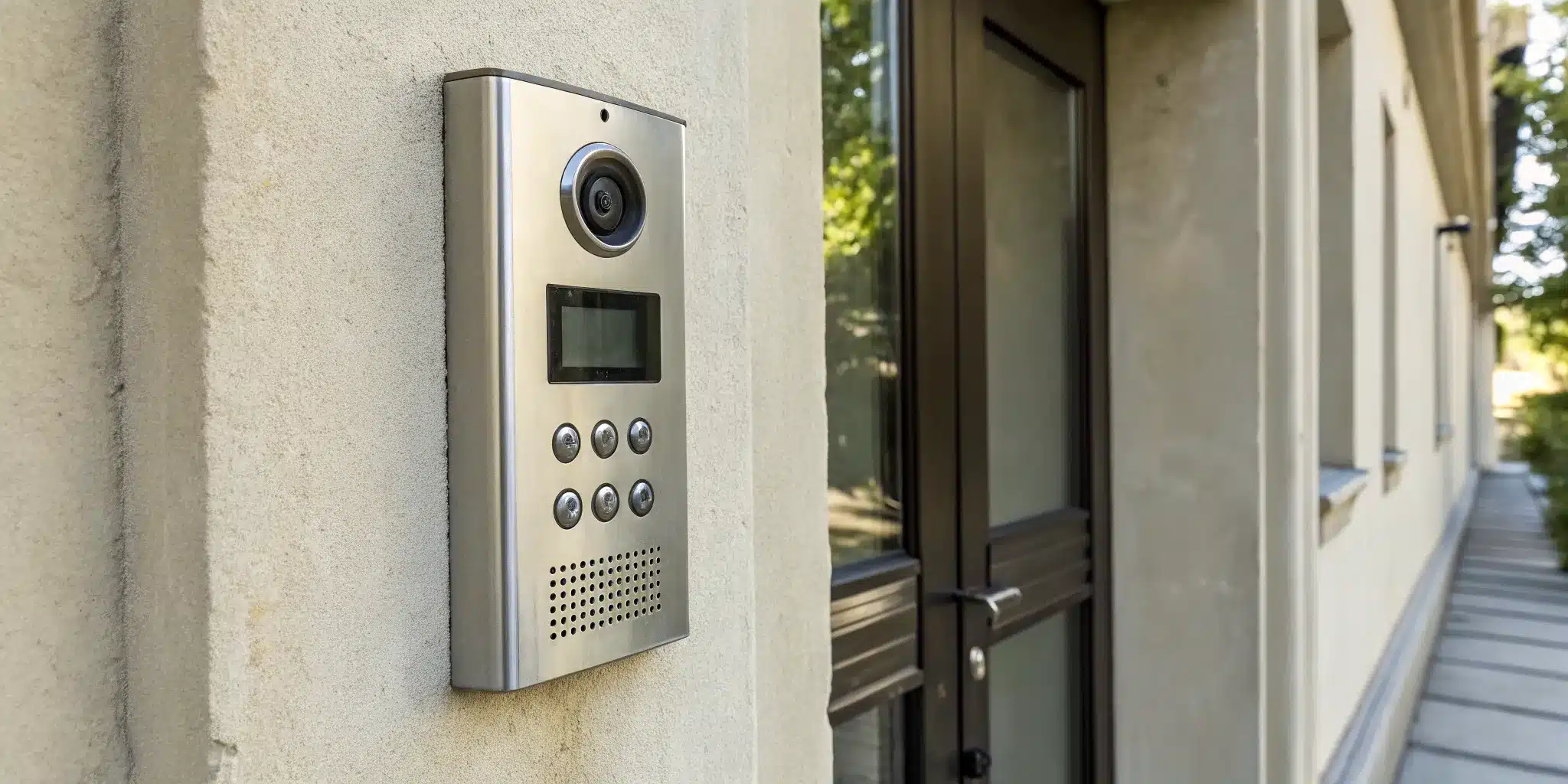
When your intercom acts up, the first instinct is often to call for a professional. But what if you could solve the problem in the next ten minutes without spending a dime? Many of the most common intercom glitches—from static and poor audio to a completely unresponsive unit—stem from simple issues that don’t require an expert. Taking a moment to investigate can save you both time and money. We’ve put together a practical guide to empower you to diagnose the issue yourself. Before you schedule a service call, let’s cover some essential steps for troubleshooting intercom systems on your own.
Key Takeaways
- Start with simple, DIY troubleshooting: Before calling a technician, check for simple fixes like a tripped circuit breaker, a loose connection, or a needed system restart. These basic steps can often resolve common audio, video, and power issues quickly.
- Put safety first and know your limits: Never attempt to fix issues involving exposed wiring, burn marks, or moisture. If a problem seems complex or potentially dangerous, calling a professional is the smartest move to protect yourself and your property.
- Practice proactive care for long-term reliability: Regular maintenance, like cleaning the units and keeping software updated, helps prevent unexpected failures. Consistently testing your system also helps you identify when recurring problems mean it’s time to consider an upgrade instead of another repair.
Is Your Intercom Acting Up? Common Warning Signs
Your intercom is the gatekeeper to your home or business, so when it starts acting up, it can be a real headache. Sometimes the signs are obvious, like a system that won’t turn on. Other times, they’re more subtle—a bit of static or a button that only works half the time. Ignoring these little glitches can lead to bigger security issues down the road. If you’re noticing something’s off, you’re in the right place. Let’s walk through some of the most common warning signs that your intercom system needs attention.
Can’t Hear Clearly (Or at All)?
One of the first signs of trouble is poor audio quality. If you can’t hear the person at your door, or they can’t hear you, the system isn’t doing its job. You might notice a persistent humming sound, crackling static, or the audio cutting in and out. Sometimes, there’s no sound at all. While it’s worth checking that the volume isn’t just turned down, these issues often point to a deeper problem. Faulty or aging wiring is a frequent culprit, as it can disrupt the signal. A loose connection or moisture getting into the system can also cause audio to fail, making it difficult to communicate with visitors.
Is the Screen Blank or Glitching?
For video intercoms, a picture is worth a thousand words—but not if you can’t see it. A blank, flickering, or distorted screen is a clear sign that something is wrong. You might see rolling lines, a frozen image, or a completely black display. This could be a problem with the camera at the door, the monitor inside, or the connection between them. When you’re dealing with faulty video feeds, it compromises your ability to visually verify who is at your door. Knowing how to spot these common intercom issues can help you decide when it’s time to call for a professional diagnosis.
Is the Door Release Button Not Working?
The door release is arguably the most important feature of your intercom. If you press the button and the door doesn’t unlock, you have a serious problem that affects both convenience and security. You might find yourself running downstairs to let guests in or unable to receive deliveries. More often than not, a malfunctioning door release is tied to the power supply or the wiring. The electrical signal that’s supposed to trigger the lock isn’t making it there. This could be due to a faulty button, a loose wire, or an issue with the power source that runs your entire security system.
Is the System Completely Unresponsive?
What if your intercom is completely dead? No lights, no sound, no video—nothing. This is the most straightforward sign that your system has a major issue. The first thing to check is the power source. A tripped circuit breaker or a faulty power adapter could be the simple explanation. If resetting the breaker doesn’t work, the problem likely lies within the system’s main power supply or a critical internal component. A completely unresponsive system leaves your property vulnerable, so it’s a problem you’ll want to address right away with an emergency locksmith.
Why Did My Intercom Stop Working?
When your intercom suddenly goes silent, it’s easy to assume the worst. But more often than not, the problem is something straightforward. From a simple power issue to a loose wire, understanding the common reasons your system might fail is the first step toward getting it back online. Let’s walk through the most frequent culprits so you can figure out what’s going on with your system.
Power and Electrical Glitches
Before you dive into complex diagnostics, always start with the power source. It sounds obvious, but it’s a frequent oversight. A tripped circuit breaker, a loose plug, or a faulty power adapter can easily knock your entire system offline. Power surges from storms or issues with your building’s electrical grid can also damage sensitive internal components. Checking that the unit is receiving consistent power is the most basic, yet most important, first step. If you’ve checked the breaker and the outlet and still have no power, the problem might be with the system’s internal power supply, which often requires a professional to diagnose and fix.
Faulty Wires and Loose Connections
Your intercom relies on a network of wires to transmit audio, video, and commands. Over time, these connections can degrade or come loose. Faulty wiring can disrupt the signal, causing annoying static, a humming sound, or a complete loss of communication. This can happen for many reasons—a wire might get accidentally disconnected during a renovation, chewed by pests, or simply corrode with age. For both residential and commercial properties, tracing these wiring issues can be tricky, especially if the cables are run through walls. A visual inspection for any obvious damage at the connection points is a good place to start.
Everyday Wear, Tear, and Weather Damage
Intercoms, especially the outdoor units, face a lot of daily abuse. Constant button-pushing, exposure to rain, snow, and the harsh NYC sun can take a toll. Over time, this can lead to cracked casings, water damage to internal circuits, or worn-out buttons that no longer make a connection. Ignoring regular maintenance can result in bigger problems down the line, like a malfunctioning door release that compromises your building’s security. A quick inspection for physical damage is key. Look for signs of moisture inside the unit, visible cracks, or buttons that feel stuck or unresponsive. These are clear indicators that your hardware needs attention.
Software Bugs and App Syncing Problems
Modern intercoms are often smart devices that connect to your phone and Wi-Fi. While convenient, this adds a layer of complexity. Just like your computer or smartphone, these systems can suffer from software glitches, connectivity issues, or failed updates. If your app suddenly can’t connect to the intercom, the problem might be with your home network, a bug in a recent app update, or a syncing error. Proactive maintenance, like keeping the app and firmware updated, is crucial for keeping these advanced security systems running smoothly. Sometimes, a simple router or system reboot is all it takes to get things back in sync.
Your First Steps: Basic Intercom Troubleshooting
Before you pick up the phone to call for help, there are a few simple troubleshooting steps you can take on your own. Often, the fix is surprisingly easy and doesn’t require any special tools or technical know-how. Think of this as a first-aid check for your intercom system. Walking through these basics can help you either solve the problem yourself or gather important information for a technician if you do end up needing one. Let’s get started with the most common culprits.
Check the Power and Connections
It might sound too simple, but you’d be surprised how often an intercom issue comes down to a power problem. Before you assume the worst, start with the basics. Is the main unit securely plugged into the wall? Take a look at your circuit breaker to make sure nothing has been tripped. Sometimes a loose connection is all it takes to knock your system offline. Gently wiggle the power cord at both the outlet and the unit to ensure it’s snug. A quick check of the power supply and wiring can often be the fix you need.
Test the Audio and Video
If your system has power but isn’t working correctly, it’s time to check its core functions. Are you hearing a lot of static or a constant humming sound? Is the audio cutting in and out? These issues often point to faulty or loose wiring that’s disrupting the signal. For video intercoms, check the screen for a clear picture. Is it fuzzy, flickering, or completely blank? Make a note of exactly what’s happening—whether the problem is constant or only happens sometimes. This information will be incredibly helpful if you need to call a professional.
Try a Simple Restart or Reset
When in doubt, try a restart. Just like your computer or smartphone, intercom systems can sometimes get stuck due to minor software glitches. A quick reboot is often all it takes to get things running smoothly again. Look for a small reset button on your main unit—you might need a paperclip to press it. If you can’t find one, simply unplug the system from its power source, wait about a minute, and then plug it back in. This simple action forces the system to reboot and can clear up many frustrating issues.
Look for Obvious Physical Damage
Next, give your intercom a quick visual inspection, paying close attention to the outdoor unit, which is exposed to the elements. Look for any visible signs of wear and tear, like cracked casing, moisture inside the screen, or frayed wires. Check the wiring for any loose or damaged connections. A wire that’s been chewed by a pest or nicked during landscaping can easily cause a system failure. If you see any exposed wires, be careful not to touch them and make a note of their location.
Double-Check Your System Settings
Sometimes, the problem isn’t a malfunction but a simple setting that’s been accidentally changed. It happens to the best of us! Take a moment to check the volume controls on your indoor unit—is it possible it was just turned all the way down or muted? If you have multiple channels, confirm you’re on the correct one. For video systems, look through the menu for brightness or contrast settings that might have been knocked out of whack. Reviewing these basic settings is a crucial step before assuming you need a complex repair for your security system.
What You’ll Need: Your DIY Troubleshooting Toolkit
Before you start unscrewing panels or wiggling wires, it’s a good idea to gather a few basic tools. Having the right equipment on hand not only makes the process smoother but also keeps you safe. You don’t need a professional-grade toolbox, but a few key items will help you accurately diagnose the problem. Think of this as your first-aid kit for your intercom system.
Regular checks can help you catch small issues before they become big headaches. Things like frayed wiring, a weak power supply, or a sticky door release button can often be spotted early with a quick inspection. By being prepared, you can confidently handle the simple fixes and know when a problem requires a more experienced hand. If you find the problem is beyond a simple fix, it might be time to consider a more robust security system to keep your property secure.
The Basics for Testing and Safety
First things first: safety. Before you touch any wiring, make sure you turn off the power to your intercom system at the circuit breaker. Once that’s done, you can gather your basic toolkit. You’ll likely need a set of screwdrivers (both Phillips head and flathead) to open up the intercom units, a flashlight to see into dark corners, and some cleaning cloths or compressed air to clear away any dust or debris that might be causing interference. These simple tools will help you check for the most common culprits, like loose connections or dirty components, which are often the source of intercom troubles.
A Quick Note on Multimeters
If you want to get a bit more technical, a multimeter is your best friend. This device might sound intimidating, but it’s an essential tool for checking if your system is getting the right amount of power. A multimeter measures electrical voltage, and it’s the only way to know for sure if a power supply issue is to blame. By testing the voltage at different points, you can trace the problem back to its source. If you’re not comfortable working with electrical components, or if the multimeter shows a serious issue, it’s always best to call our emergency locksmith team for professional help.
A Guide to Different Intercom Systems
Not all intercoms are created equal, and the troubleshooting steps that work for one might not apply to another. Whether you’re in a classic pre-war building with a wired system or a new development with a smart intercom, identifying your system type is the first step. Below, we’ll walk through the common issues and fixes for wired, wireless, and video intercoms so you can figure out your next move.
Tips for Wired Systems
Wired intercoms are the workhorses found in many New York City buildings. Because they’re physically connected to your building’s electrical system, their problems often trace back to the wiring itself. A tell-tale sign of a wiring issue is a persistent humming or static sound coming through the speaker. While you can do a quick visual check for any obviously loose or damaged wires near your unit, it’s best to avoid any hands-on electrical work yourself.
These systems require specific diagnostic tools to pinpoint issues like a faulty power supply or a break in the connection somewhere in the walls. If a simple reset doesn’t solve the problem, your best bet is to call a professional who can safely trace and repair the electrical fault without causing further damage.
Fixing Wireless and App-Based Intercoms
Wireless and app-based intercoms trade complex wiring for modern convenience, but they come with their own set of potential glitches. If your wireless system is acting up, the problem is likely related to connectivity or software. Start by checking your Wi-Fi connection—is your router working properly? Next, make sure the intercom’s app on your phone is updated to the latest version, as outdated software can cause syncing issues.
You should also check the power source. Many wireless units are battery-powered, so a dead battery could be the simple culprit. If you’ve tried restarting your router, reinstalling the app, and checking the power with no luck, it might be a hardware problem with the unit itself.
Troubleshooting Video Intercoms
Video intercoms offer an excellent layer of security, but a blank or glitchy screen can be frustrating. When your video feed cuts out, the issue often comes down to a few key things: power, connection, or the camera itself. First, check that all the video cables are plugged in securely to your monitor. A loose connection is a common cause of a faulty feed.
Next, confirm the monitor is receiving power. If other parts of the system are working, the problem might be isolated to the screen’s power supply. It’s also a good idea to gently clean the camera lens outside, as dirt or condensation can obstruct the view. If these simple checks don’t restore the picture, it’s time to get help with your security systems to diagnose the more complex video components.
When the Simple Fixes Don’t Work
So, you’ve tried restarting the system, checked for obvious damage, and fiddled with the settings, but your intercom is still giving you the silent treatment. It’s frustrating, but don’t throw in the towel just yet. When the basic troubleshooting steps don’t cut it, it’s time to look a little closer at the system’s individual parts. This next level of diagnostics can often reveal the root cause of the problem.
Moving beyond simple resets means you’ll be investigating the specific components, network connections, and electrical flow. It might sound intimidating, but breaking it down step-by-step makes it much more manageable. Just remember to prioritize your safety—especially when dealing with wiring and electrical parts. If at any point you feel out of your depth, it’s always best to get professional help.
How to Test Individual Components
When your intercom isn’t working correctly, the issue often lies with a single faulty part. The trick is to isolate which one is causing the trouble. Start by testing the most common culprits: the speaker, microphone, and door release button. Can you hear a hum or static from the speaker, even if there’s no clear audio? This could point to a wiring issue rather than a completely dead speaker.
Try to identify the source of any abnormal sounds, as this can lead you directly to the problem area. For video intercoms, check if the camera is transmitting any image at all, even a distorted one. If the door release mechanism is the only thing not working, the problem is likely in that specific circuit. By methodically checking each function, you can narrow down the possibilities from “the whole system is broken” to “I need to fix this one part.”
Check Your Network and App Connection
For those with wireless or app-based intercoms, your Wi-Fi network is a critical part of the system. A weak or unstable connection can cause all sorts of issues, from delayed notifications to a complete loss of video and audio. Before you assume the hardware is faulty, check your internet connection. Is your router working properly? Try restarting it.
Next, take a look at the app on your phone or tablet. Make sure it’s updated to the latest version, as developers frequently release patches to fix bugs. If an update doesn’t help, try deleting and reinstalling the app. This can often resolve syncing problems between your device and the intercom. A stable network is the backbone of any modern security system, so ensuring it’s in good shape is a crucial step.
A Word on Electrical Diagnostics
Many intercom problems trace back to the power supply. Issues like damaged wiring, a faulty power adapter, or a tripped circuit breaker can leave your system completely unresponsive. If you’re comfortable and know how to do it safely, you can use a multimeter to check if the system is receiving the correct voltage. This can quickly tell you if the problem is electrical.
However, working with electrical wiring can be dangerous if you don’t have experience. A wrong move could damage the system further or, more importantly, cause injury. If you suspect an electrical issue but aren’t a trained professional, this is the time to stop. For your safety, it’s best to call for emergency locksmith services to have an expert diagnose and fix the problem correctly.
Know When to Call a Professional
There’s a certain satisfaction that comes from fixing something yourself, but there are times when DIY troubleshooting can do more harm than good. When it comes to your property’s security, knowing your limits is key. If you’ve run through the basic checks and are still scratching your head, or if the problem feels bigger than a simple loose wire, it’s time to put down the tools and pick up the phone.
Calling a professional isn’t admitting defeat; it’s making a smart, strategic decision to protect your property and yourself. Expert technicians have the right tools, years of experience, and the specific knowledge to diagnose and fix complex intercom issues safely and efficiently. Continuing to tinker with a system you don’t fully understand can lead to bigger repair bills, permanent damage, or even safety risks. If you find yourself in any of the situations below, it’s a clear sign that you need an expert to install or repair your security systems.
If You Spot Electrical or Safety Hazards
This is the most important rule: never take chances with electricity. Your safety is always the top priority. If you open up your intercom unit and see exposed or frayed wires, burn marks around connections, or any signs of moisture, stop what you’re doing immediately. These are serious red flags that point to a dangerous electrical fault. Even if the system seems to be working intermittently, a buzzing sound or a strange smell is a clear warning sign. As one guide puts it, “If you see exposed wires, damaged parts, or if simple fixes don’t work, it’s best to call an expert technician.” Don’t risk it—a professional can handle these hazards safely.
For Complex Technical Problems
Sometimes, an intercom issue goes far beyond a dead battery or a loose connection. Modern intercoms, especially video and app-based systems, can have complicated internal circuitry and software. If the problem seems to require special tools or a deep understanding of electronics, it’s best to call for help. A professional has the diagnostic equipment to trace faults within the building’s wiring or pinpoint a malfunctioning circuit board. For businesses with integrated security, a malfunctioning intercom can disrupt operations, making a quick, expert fix from a commercial locksmith essential. Trying to solve these issues without the right expertise can easily turn a small problem into a system-wide failure.
When You’ve Tried Everything
You’ve checked the power, restarted the system, and inspected all the connections you can see. You’ve followed every step in this guide, but the intercom still isn’t working. At this point, your time and energy are better spent calling in a professional. There’s no shame in hitting a wall; complex systems can have hidden issues that only a trained eye can spot. A professional can quickly identify whether the problem is with the master unit, an individual station, or the wiring that connects them. Instead of spending hours getting frustrated, let an expert take over. A skilled technician can provide the right residential locksmith services to get your system back online.
How to Keep Your Intercom Working Smoothly
An ounce of prevention is worth a pound of cure, especially when it comes to your building’s security. You don’t have to wait for a complete system failure to give your intercom some attention. A little proactive care can go a long way in preventing frustrating glitches and expensive repairs down the road. By incorporating a few simple habits into your routine, you can keep the lines of communication clear and your entryway secure. These maintenance steps are easy to follow and help ensure your system remains a reliable gatekeeper for your home or business, not a source of unexpected trouble.
Perform Regular Cleaning and Inspections
One of the easiest ways to maintain your intercom is to keep it clean and visually inspect it every few months. Gently wipe down both the indoor and outdoor units with a soft, dry cloth to remove dust, grime, and cobwebs. While you’re cleaning, take a close look at the physical condition. Check for cracked casings, frayed wires, or any signs of moisture getting inside the unit. Ignoring small issues can lead to bigger problems like damaged wiring or a faulty door release, which can compromise your building’s security. Regular inspections help you catch these things early before they require a major fix.
Keep Software Updated and Test Your System
If you have a modern, app-based intercom, treat it like any other smart device. Keeping the software and firmware updated is crucial for performance and security. Manufacturers release updates to patch vulnerabilities and fix bugs, so check your app or the manufacturer’s website for the latest versions. It’s also a good idea to test your system periodically. Ring your own unit, check the audio and video quality, and make sure the door release function works smoothly. This proactive approach is key for modern security systems and helps you solve access issues before a visitor is stuck outside.
Protect Your System from the Elements
Your outdoor intercom unit faces a lot—rain, snow, summer heat, and city grime. Make sure it’s protected from the elements. Check that any protective casings or shields are secure and free of cracks. Clear away any debris, leaves, or insect nests that might be blocking the microphone, speaker, or camera lens. Water damage is a common culprit for system failure, so if you notice moisture inside the unit or see rust, its weather seal has likely failed. Addressing damage to the unit or the surrounding door hardware promptly will protect the delicate electronics inside.
Repair or Replace? Making the Right Call
It’s the big question whenever a key piece of equipment starts failing. Do you pay for another repair, or is it time to invest in something new? With intercom systems, the answer depends on the age of your system, the nature of the problem, and how often you’re calling for help. Making the right choice can save you money and headaches down the road, whether you’re managing a residential building or securing your business. It’s about finding the balance between a quick fix and a long-term solution for your property’s security.
What Goes Into a Repair Cost
When you get a quote for a repair, you’re paying for more than just a new part. The cost covers the technician’s expertise to diagnose the issue, which can sometimes be tricky. Common culprits include faulty wiring that causes static, a failing power supply, or a broken door release mechanism. For older systems, just finding the right replacement part can be a challenge. While some fixes are simple, others involve tracing wires through walls. A professional can quickly identify the root cause and let you know if it’s a straightforward repair or a sign of a bigger problem needing emergency service.
Knowing When It’s Time for an Upgrade
If your intercom technician is on speed dial, it’s probably time for an upgrade. Constant breakdowns are a clear sign that your system is on its last legs. Sourcing parts for older models can be difficult and expensive, and you might find that one repair just leads to another. Exposed wires or visible damage are also serious red flags. Investing in modern security systems isn’t just about reliability; it’s about better features. A new video intercom can improve safety for residents and give you much simpler, more effective control over who enters your building.
Related Articles
- Intercom Not Working? 7 Easy Fixes To Try
- Intercom Buzzer With Door Release: A Buyer’s Guide
- DIY Intercom System Repair: A Step-by-Step Guide
Frequently Asked Questions
What’s the very first thing I should do if my intercom is completely dead? Before you panic, always start with the power source. It’s the most common reason for a system to go completely dark. Head to your circuit breaker and check if anything has been tripped. If that looks fine, make sure the main intercom unit is securely plugged into its outlet. A simple power cycle—unplugging the unit for a minute and then plugging it back in—can also resolve minor glitches.
Why is my intercom making a constant buzzing or static noise? A persistent humming or static sound almost always points to an issue with the wiring. Over time, connections can come loose, or the wires themselves can degrade, which disrupts the audio signal. While you can do a quick visual check for any obviously disconnected wires near your unit, tracing the problem through the walls is a job that requires specific tools and expertise to do safely.
How can I prevent my intercom from breaking down in the first place? A little proactive care goes a long way. Every few months, wipe down the indoor and outdoor units to keep them free of dust and grime. While you’re at it, look for any cracks in the casing or signs of moisture. If you have a smart system, make sure you keep the app updated. Periodically testing the audio, video, and door release also helps you catch small issues before they turn into major headaches.
What are the signs that I definitely need a professional’s help? You should call a professional the moment you feel out of your depth, especially with electrical issues. If you see any frayed or exposed wires, notice burn marks, or smell something strange, stop immediately and call for help. It’s also time to call an expert if you’ve tried all the basic troubleshooting steps—like checking the power and restarting the system—and nothing has worked.
Is it better to repair my old intercom or just replace the whole system? This really depends on the age of your system and the frequency of problems. If you’re constantly calling for repairs and the costs are adding up, it’s likely more cost-effective in the long run to invest in a new system. Finding parts for older models can be difficult and expensive. An upgrade not only gives you reliability but also access to modern features like video and app integration, which can greatly improve your property’s security.
Need professional help in NYC? Contact Golden Key Locksmith NYC for Key Card Entry Systems or Access Control Systems. Available 24/7 across Manhattan and all NYC boroughs.
Related: normal apartment intercom use